
MBOSE Result 2021: HSSLC Arts and SSLC result date announced, check details
MBOSE Result 2021: Meghalaya Board has announced dates for class 12th arts result date and class 10th result date. Results will be announced on Aug 5, 2021.
- Education News
- 2 min read

;'%3e%3cpath%20d='m8,15.99c4.41,0,7.99-3.58,7.99-7.99S12.41,0,8,0,0,3.59,0,8s3.58,7.99,7.99,7.99Z'%20style='stroke:%23fff;%20stroke-miterlimit:10;%20stroke-width:.02px;'/%3e%3cpath%20d='m3.08,3.37l3.82,5.11-3.84,4.15h.87l3.37-3.64,2.72,3.64h2.94l-4.04-5.39,3.58-3.87h-.86l-3.1,3.35-2.5-3.35h-2.94Zm1.27.64h1.35l5.97,7.99h-1.35l-5.97-7.99Z'%20style='fill:%23fff;'/%3e%3c/g%3e%3c/svg%3e)


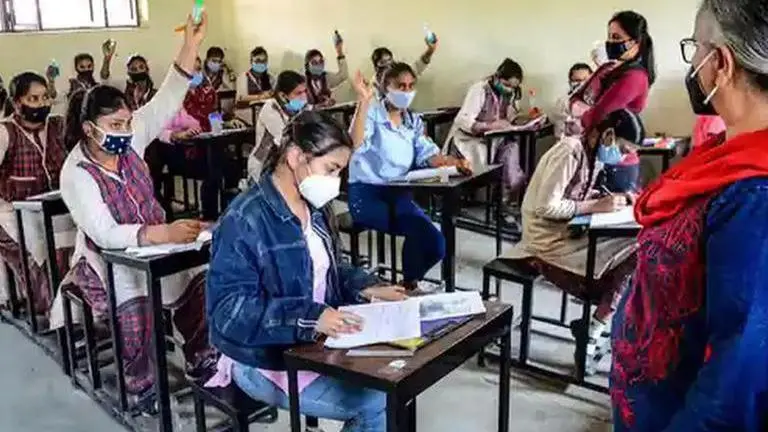
MBOSE Result 2021: The Meghalaya Board of School Education is gearing up to announce MBOSE Result 2021. The Board on Tuesday announced the official date and time for HSSLC Arts and SSLC examinations result. Board has planned to announce Class 12 arts and Class 10 results on the same day. The results will be announced on 5th August,2021. Candidates waiting to check MBOSE SSLC results and MBOSE HSSLC Result 2021 will be able to do the same on the official website megresults.nic.in. Here is all candidates need to know about the result notification.
Meghalaya Board Result: Date and Time
- Both the results will be declared by Meghalaya Board on August 5, 2021
- MBOSE HSSLC arts result 2021 will be announced in the first half at 10 a.m.
- MBOSE SSLC results will be declared in the first half at 11 am
MBOSE Result 2021: How to get marksheet
Registered students will be able to check their results by clicking on the result link which will be activated only after the declaration of results. The link will be activated on the official website megresults.nic.in. Unlike every year, this year results will not be displayed at MBOSE office to avoid crowds. Students are hereby informed that they will have to reach out to their respective schools for getting mark sheets. Board will not send mark sheets to students directly as it has to go through schools.
Meghalaya MBOSE 12th HSSLC result 2021: Websites to check
- mbose.in
- megresults.nic.in.
- exametc.com
MBOSE Meghalaya board 12th result 2021: How to check the scorecard
- Students should visit any of the official websites mentioned above
- On the homepage, go to the result section
- Click on the link which reads MBOSE 12th result 2021 or Meghalaya 10th result
- Enter roll number, captcha and click on submit
- The scorecard will be displayed on the screen, download the same
- Take a printout for future reference