
How to Check the Status of Your PAN Card Application Online - Get Details
PAN or Permanent Account Number is an crucial document needed for various financial transactions. Here's Steps to Check Your PAN Card Application Status.
- Utility News
- 4 min read

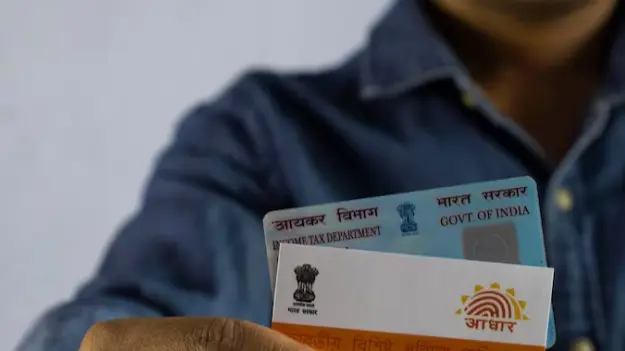
Info: PAN or Permanent Account Number is an crucial document needed for various financial transactions exceeding a certain value. It is designed to help the IT Department keep track of your taxes and high-value transactions to prevent tax evasion. Generally, PAN Cards take around 15-20 days to arrive once your application is submitted, verified, and the PAN is allotted. However, during the waiting period, you can check the status of your PAN Card application online/offline based on your preference.
Steps to Check Your PAN Card Application Status. You can track your PAN Card application status using the Protean (NSDL) website in one of the following two ways:
First step is with acknowledgment number
When you submit your PAN Card application online/offline, you are issued a unique acknowledgment number. This number is similar to tracking numbers generated when you shop on an online marketplace. Operating in a similar way, this number is designed to help you track your application with ease. Here's a step-by-step guide on how you can track your PAN application with the acknowledgement number:
Step 1: Head to the TIN-NSDL (Protean) tracking page or use this link.
Step 2: Select the 'PAN - New/Change Request' option from the menu.
Step 3: Enter your 15-digit acknowledgement number in the acknowledgement number box.
Step 4: Input the captcha displayed on the screen and click Submit.
Step 5: Review your PAN Card application status.
Without acknowledgement number (using name and DOB)
In case you cannot locate your PAN Card acknowledgment number, you can use your name and date of birth to review your application status. The steps for this process are listed below:
Step 1: Visit the TIN-NSDL website's tracking page via this link.
Step 2: Under the Application Type tab, click on 'PAN - New/Change Request'.
Step 3: Choose the 'Name' option and input your name details including your first name, middle name, and last name.
Step 4: Enter your date of birth in DDMMYYYY format.
Step 5: Click on the Submit button to view the status of your PAN Card application.
Advertisement
Process of checking your PAN Card application status via the UTIITSL website
If you have applied via the UTIITSL website, you will be issued a 9-digit coupon number upon successfully submitting your PAN application. You can use this number to check the status of your PAN Card. Here's a step-by-step guide on how to check your PAN status using coupon number on the UTI portal:
Step 1: Visit the UTIITSL website.
Step 2: Select the 'Track PAN Card' option.
Step 3: Carefully input your 9-digit coupon number and date of birth.
Step 4: Enter the captcha shown to verify your actions.
Step 5: Click Search to view your PAN application status.
Other ways to check your PAN Card application status
Apart from the official Protean and UTI portals, you can also use other ways to check the status of your PAN Card application. However, the following modes are applicable only if you know your PAN application acknowledgement number. We've covered them below.
Advertisement
Check PAN Status Via SMS
You can check the status of your PAN application without internet connectivity by utilising the offline SMS facility. To do so, you must send an SMS to 57575. NSDL *space* 15-digit acknowledgement number you will soon receive an update on the phone number registered during the PAN application process.
Check PAN Status Via Call Option
Another way to check the status of your PAN Card application offline is using the call option. To use this option, you have to call the TIN call center and provide the details of your 15-digit acknowledgement number. You can call either of the two numbers listed below.
- 020-27218080 ( from 7 a.m. to 11 p.m. Sunday to Monday)
- 08069708080 ( 24/7)
Check PAN Status Via WhatsApp
You can also request to check the status of your application through the WhatsApp facility. Simply send 'Hi' to 8096078080 on WhatsApp and consent to receiving emails and SMS from Protean. Scroll down to the 'Services' option in the message you receive and choose the 'Status of Application' option. Select the PAN Application option and input your 15-digit acknowledgement number. The status of your application will be visible.
Process of Checking PAN Application Status for e-PAN
If you have applied for an instant e-PAN through the IT Department's e-filing portal, you can check the status of your PAN Card using these steps:
Step 1: Visit the e-filing portal.
Step 2: Click on the 'Instant e-PAN' option.
Step 3: Under Check Status/Download PAN, click the Continue button.
Step 4: Enter the OTP verification code sent to your registered phone number.
Step 5: Click 'Continue' to check the status of your application.
After following these simple steps one can check the status of the PAN card or track its dispatch date.