
How to Send a Fax Online: Step-by-Step Guide for Beginners
If handling contracts, forms, or doctor’s notes is part of the daily grind, learning how modern faxing works can change the game.
- Initiatives News
- 4 min read

;'%3e%3cpath%20d='m8,15.99c4.41,0,7.99-3.58,7.99-7.99S12.41,0,8,0,0,3.59,0,8s3.58,7.99,7.99,7.99Z'%20style='stroke:%23fff;%20stroke-miterlimit:10;%20stroke-width:.02px;'/%3e%3cpath%20d='m3.08,3.37l3.82,5.11-3.84,4.15h.87l3.37-3.64,2.72,3.64h2.94l-4.04-5.39,3.58-3.87h-.86l-3.1,3.35-2.5-3.35h-2.94Zm1.27.64h1.35l5.97,7.99h-1.35l-5.97-7.99Z'%20style='fill:%23fff;'/%3e%3c/g%3e%3c/svg%3e)


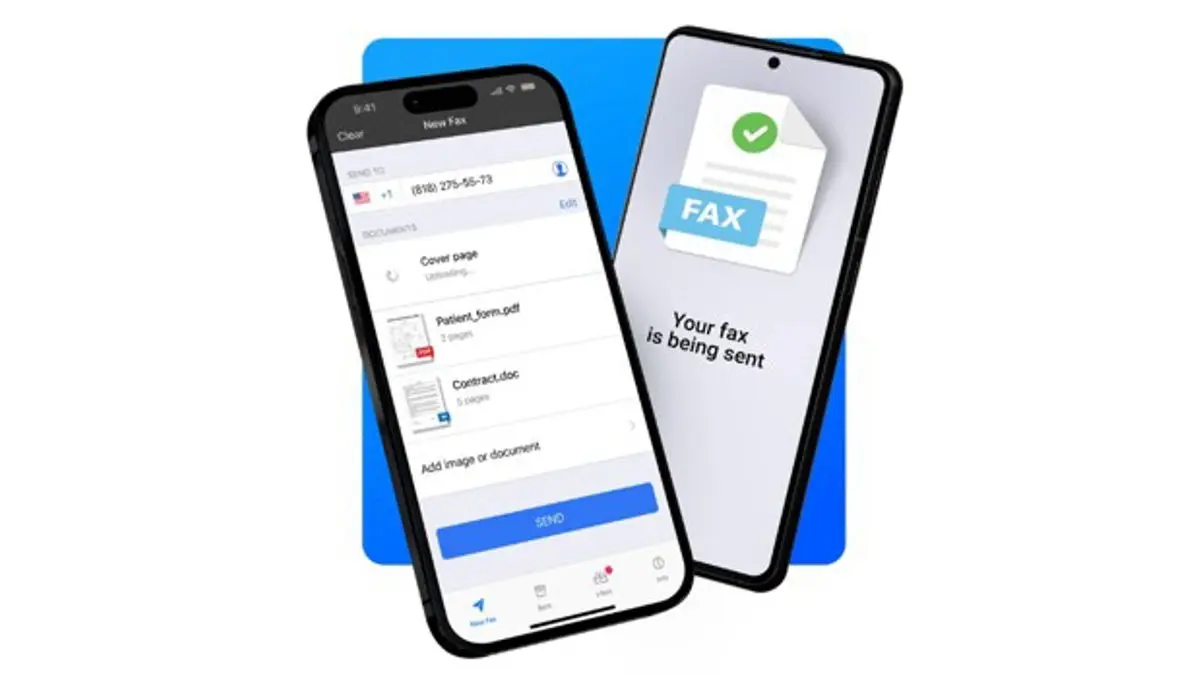
Remember when faxing meant wrangling a noisy old machine or searching for a dusty phone line adapter? Those days are over. Anyone can now send a fax online from a computer, tablet, or phone, skipping the hassle of physical paper and hardware. Isn’t it refreshing when technology actually makes life easier instead of adding another headache?
For professionals, students, or anyone dealing with sensitive paperwork, speed and security matter. Online faxing, like what Municorn Fax at comfax.com offers, moves documents swiftly between people and businesses while keeping information private and safe. Why bother with jammed machines or busy signals when there’s a smoother way?
That’s not just a convenience—it’s peace of mind. If handling contracts, forms, or doctor’s notes is part of the daily grind, learning how modern faxing works can change the game. Let’s walk through how to get it done, fast and frustration-free.
Getting Started With Online Faxing
Advertisement
Sending a fax no longer means hunting down a clunky machine at the office supply store. Now, everything can be done using a computer or mobile device with an internet connection. This approach saves time, simplifies workflow, and makes sharing documents much more convenient.
What Is Online Fax?
Advertisement
Online fax, also called internet fax, lets users send and receive faxes through the web instead of a traditional fax machine. It works by using an online fax service that converts digital documents into faxes and vice versa.
Key features include:
- Works like email but uses a fax number
- Accessible via web dashboard or mobile app
- Supports PDF, Word, JPG, and other formats
- Often includes cloud storage and document management
- Benefits of Sending a Fax Online
- Convenience: No paper jams or phone lines
- Cost-Efficient: No hardware, toner, or paper needed
- Security: End-to-end encryption and digital records
- Accessibility: Send and receive from anywhere
- Requirements: What You Need to Send a Fax Online
| Requirement | Details |
| Device | Computer, tablet, or smartphone |
| Internet | Stable connection required |
| Online Fax Account | Sign up with a service like Fax.Plus or Municorn Fax |
| Digital Documents | Supports PDF, JPG, Word files,and canned documents |
Step-by-Step Guide: How to Send a Fax Online
1. Choosing an Online Fax Service
Popular services include Municorn Fax, FaxZero, Fax.plus, and FaxSalad. Compare features like:
Security (encryption)
- File type support
- Integration with cloud storage
- Free trial availability
2. Uploading and Preparing Fax Documents
Upload files by dragging and dropping or using a button in the app. Supported formats include PDF, DOCX, JPG, PNG, and TIFF. You can preview, rearrange, and edit documents to ensure clarity and accuracy before sending.
3. Adding a Fax Cover Page
- A cover page usually includes:
- Sender and recipient info
- Date and subject
- Optional message or instructions
- Confidentiality notice
- Many platforms offer easy-to-use templates for this purpose.
4. Entering the Fax Number and Sending the Fax
Type in the recipient’s fax number, including the country code if needed. Double-check all details, preview the fax, then hit Send Fax. You’ll receive a confirmation email or in-app notification.
Understanding Features, Security, and Compliance: Free and Paid Online Faxing Options
| Feature | Free Fax Service | Paid Fax Service |
| Page Limit | Low (5–10 pages/month) | High (100+ pages/month) |
| Security | Basic | Advanced encryption |
| Ads/Watermarks | Common | Rare or none |
| Cloud Storage | Limited/None | Included |
| Customer Support | Minimal | Full support and priority help |
Encryption and Data Security for Faxing
Look for:
- SSL/TLS encryption
- Password protection
- Audit logs and access tracking
- Secure cloud document storage
- HIPAA Compliance When Sending Faxes Online
- HIPAA compliance is essential for healthcare and privacy-sensitive industries. Look for:
- Signed Business Associate Agreement (BAA)
- User authentication and audit trails
- Encryption in transit and at rest
Most free services do not meet HIPAA standards, so use a trusted, compliant provider for medical or personal records.
Advanced Online Faxing: Receiving, International, and Mobile Options Receiving Faxes Online
Receive faxes directly in your inbox as PDFs or images. Customize notifications, search archived messages, and manage files from a secure dashboard.
Sending International Faxes
Send documents worldwide with ease. Enter the international number and pay per page.
Sample pricing:
| Region | Sample Cost per Page |
| United States | $ 0.10 |
| Canada | $ 0.12 |
| Europe | $ 0.15 |
| Asia | $ 0.18 |
Faxing From Your Computer or Mobile Device
Use a laptop, phone, or tablet to send faxes anytime, anywhere. Features include:
- Camera scanning
- Cloud uploads
- Notifications and delivery updates
- Using Cloud Storage and Confirmation Codes
All faxes are saved and organized automatically. Integration with Google Drive, Dropbox, and OneDrive is common. Confirmation codes and delivery receipts prove when and where each fax was successfully sent.