
Google Search Dark Mode for desktop launched: Here's how to enable the feature
The Alphabet-owned company announced the new feature through a Google Support website post. The mode will be available for all users from September 9, 2021.
- Tech News
- 3 min read

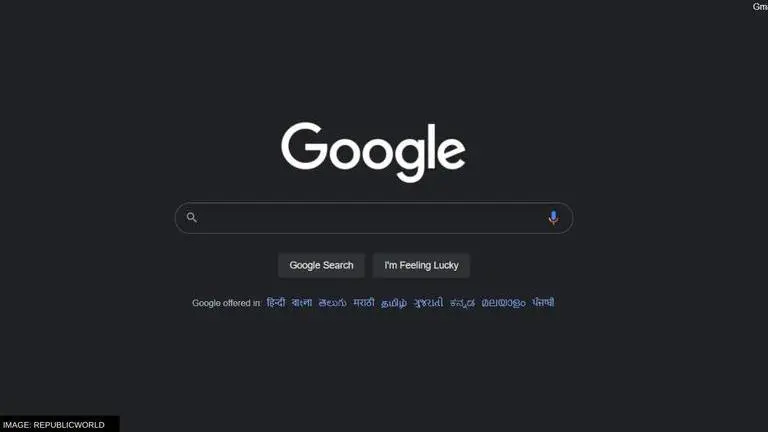
Google Search for desktop is finally getting the Dark Mode. Previously, users had two options to set the appearance of the Google Search: a Device default setting and a light setting. While the former keeps the Google search appearance in line with the default device theme of the desktop, the latter maintains high contrast ratios with white being the prominent tone.
The Alphabet-owned company announced the new feature through a Google Support website post. The post mentions that mode will be available for all users from September 9, 2021. Users can even schedule timing for the Dark Mode, and it will automatically turn off and on according to it. Including the Dark Mode, users will now have three appearance settings for Google Search.
Google Search Dark Mode for desktops is now rolling out
In the official Support Page post, Hung F., the Product Support Manager at Google Search says that "I'm thrilled to announce that starting today & fully rolling out over the next few weeks, Dark theme is now available for Google Search pages on desktop. Thank you for all your feedback on this forum letting us know that this was a feature you wanted to see!" The dark theme will cover Google Homepage, search results page, and search settings among other compatible pages.
The Google Search Dark Mode will help users who might have to work in low lighting conditions, as it maintains a lower contrast ratio among colours on the screen. The Dark Mode also causes less strain to the human eye. Google has been testing the Dark Mode for Search since December 2020. The mobile version of Google Search has had a Dark Mode since May 2020.
Advertisement
How to enable Dark Mode on Google Search?
- Open Google Search
- At the top right corner, locate and click on the Settings icon or go to Search Settings
- The Setting Menu will open
- In the menus on the left of the interface, locate and click on 'Appearance'
- In the Appearance menu, choose from the three settings
- Device Default: the theme of Google Search manages the theme of the desktop
- Light: Dark text on white background with high contrast
- Dark: Light text on a dark background with low contrast
- When the desired setting is chosen, click on save at the bottom
- Alternatively, there appears to be a shortcut on the Settings icon that appears in Google Search, that will directly enable the dark theme, as shown in the image attached below.
