
Updated 26 March 2022 at 17:36 IST
Samsung Galaxy S22 Ultra users face GPS connectivity issues with navigations apps
The Galaxy S22 Ultra GPS issue seems limited to the Exynos variant of the smartphone. Samsung has acknowledged the issue but there is no timeline for a fix yet.
- Tech News
- 2 min read

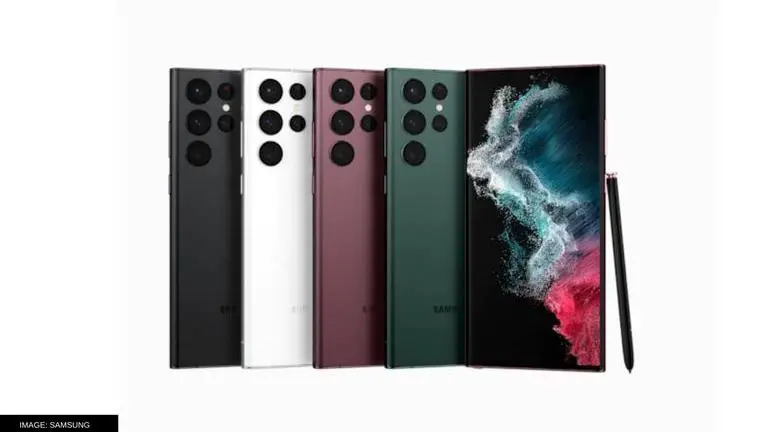
Users are facing issues while using GPS on Samsung's latest flagship device, the Galaxy S22 Ultra. Apparently, users are not getting the GPS signal while using any navigation applications such as Google Maps. While the company itself is aware of the issue, it has not provided a tentative date or timeline of when the issue will be fixed.
Most of the users facing the GPS issue with Samsung Galaxy S22 Ultra have expressed their difficulty in using navigation services on Samsung's Community Forums. Those who are dealing with the issue get a 'searching for GPS' message when they attempt to use Google Maps or other apps like Waze. Some users have also reported about the issue through their Twitter handles.
Samsung Galaxy S22 Ultra GPS problem occurring on Exynos variants
It appears that the problem is majorly being faced by users in Europe. Additionally, the Galaxy S22 Ultra GPS issue seems limited to the Exynos variant of the smartphone. However, it is now known that users with the Snapdragon variants are also facing the same issue. In India, Samsung ships the Galaxy S22 Ultra with Snapdragon 8 Gen 1 SoC.
A temporary fix to the problem seems to be restarting the Galaxy S22 Ultra and reenabling the location service. However, the fix may or may not work for users and the company has not provided a permanent solution yet. On Twitter, Samsung Italy has responded to a local user about the problems being faced. In its reply, Samsung asks the user about the applications in which the error is coming up and more details about the issue.
Advertisement
Samsung's translated reply reads "to be able to carry out in-depth checks on the device together with one of our specialized operators, please contact us via Live Chat," followed by a link to do so. To fix GPS connectivity problems on Android devices, users can enable the Google Location Accuracy in the Location menu found in Settings. Thereafter, they might check whether the navigation service has access to their location in the app permissions menu, Re-activating the location service might fix the issue as well.
Published By : Shikhar Mehrotra
Published On: 26 March 2022 at 17:26 IST