
Tired Of Spam Calls? Here's How Apple's Call Screening Filters It Before Your Phone Rings
Apple’s new 'Call Screening' feature in iOS 26 automatically filters spam and unknown calls before your iPhone rings. Learn how to enable it and stop unwanted interruptions while keeping your privacy protected.
- Tech News
- 2 min read

;'%3e%3cpath%20d='m8,15.99c4.41,0,7.99-3.58,7.99-7.99S12.41,0,8,0,0,3.59,0,8s3.58,7.99,7.99,7.99Z'%20style='stroke:%23fff;%20stroke-miterlimit:10;%20stroke-width:.02px;'/%3e%3cpath%20d='m3.08,3.37l3.82,5.11-3.84,4.15h.87l3.37-3.64,2.72,3.64h2.94l-4.04-5.39,3.58-3.87h-.86l-3.1,3.35-2.5-3.35h-2.94Zm1.27.64h1.35l5.97,7.99h-1.35l-5.97-7.99Z'%20style='fill:%23fff;'/%3e%3c/g%3e%3c/svg%3e)


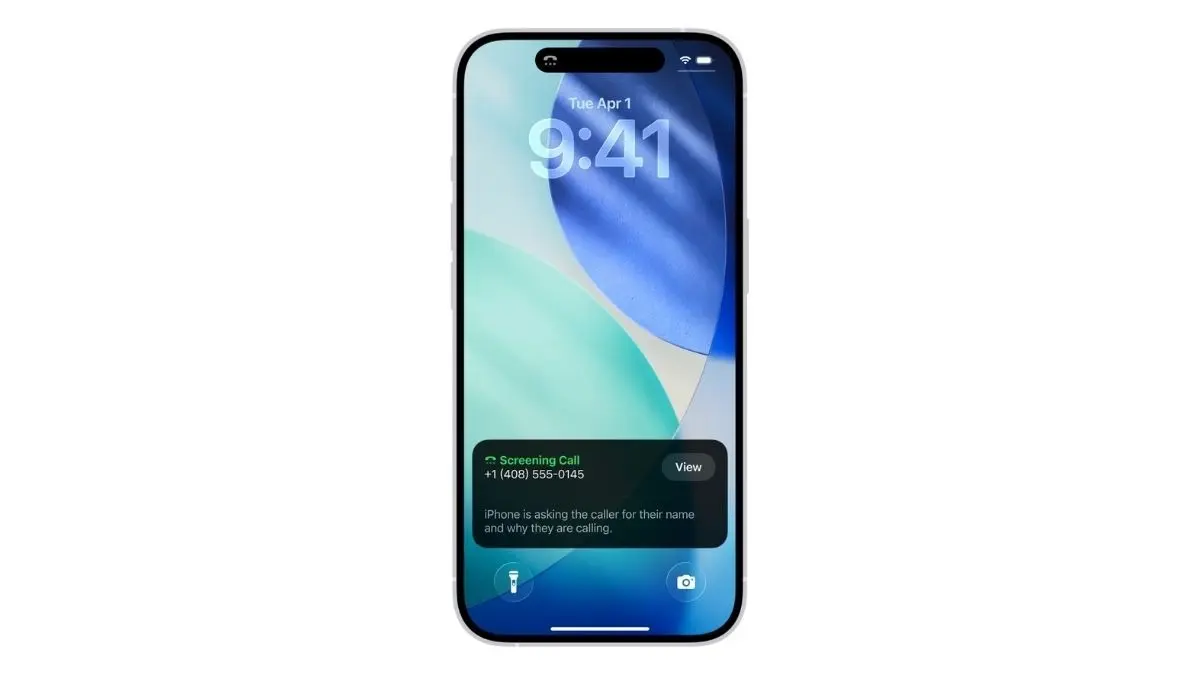
New Delhi: Tired of spam and unwanted calls? There is good news for iPhone users. Apple is taking aim at spam and scam callers with a new feature in its upcoming iOS 26 update. Called Call Screening, the tool automatically filters unknown numbers before the phone even rings, asking callers to identify themselves and transcribing their response in real time. The move marks Apple’s latest effort to give users more control over incoming calls and reduce unwanted interruptions with on-device privacy protections.
Here's How You Can Activate Call Screening on Your iPhone to get rid of unwanted calls
The feature is available on iPhone 11 models and newer.

- You will have to update to iOS 26
- Step-by-Step Guide For Installing Call Screening
- Go to Settings > General > Software Update to ensure your device is running iOS 26.
- Enable Call Screening
- Open Settings > Apps > Phone.
- Find the Screen Unknown Callers section. You’ll see three options:
— Never: All calls come through, even from unknown numbers.
— Ask Reason for Calling: Activates Call Screening. The system asks unknown callers to identify themselves and shows their response as text.
— Silence: Sends unknown calls directly to voicemail. - Select Ask Reason for Calling to enable Call Screening.
How Call Screening Works
When a call from an unknown number comes in, your iPhone automatically answers and plays a message asking the caller to state their name and purpose. The response appears on your screen as live text, so you can quickly decide whether to pick up. Calls from saved contacts or recent outgoing numbers bypass this process and ring normally.
ALSO READ: Who Is Zico Kolter? A Professor Leads OpenAI Safety Panel With Power to Halt Unsafe AI Releases