
Achieve Director-Level Camera Motion with Seedance 2.5 Without Experience
Every video has a better visual identity and is more clearly told with camera movement. Movement is used to show relationships between objects and the background to create depth.
- Initiatives News
- 6 min read

;'%3e%3cpath%20d='m8,15.99c4.41,0,7.99-3.58,7.99-7.99S12.41,0,8,0,0,3.59,0,8s3.58,7.99,7.99,7.99Z'%20style='stroke:%23fff;%20stroke-miterlimit:10;%20stroke-width:.02px;'/%3e%3cpath%20d='m3.08,3.37l3.82,5.11-3.84,4.15h.87l3.37-3.64,2.72,3.64h2.94l-4.04-5.39,3.58-3.87h-.86l-3.1,3.35-2.5-3.35h-2.94Zm1.27.64h1.35l5.97,7.99h-1.35l-5.97-7.99Z'%20style='fill:%23fff;'/%3e%3c/g%3e%3c/svg%3e)


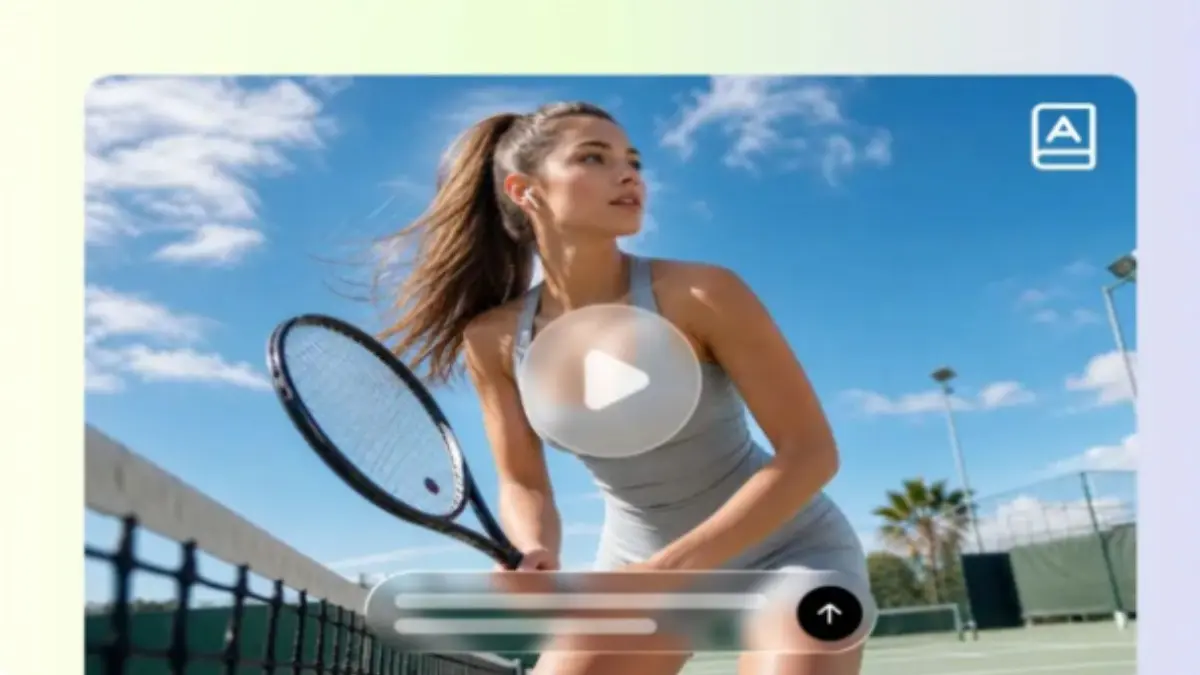
Using cinematic camera movements, AI-generated videos are enhanced to create captivating visual narratives. Smooth motion adds depth, focus and enhances all shots. With professional-looking camera movement, intelligent scene planning and prompt-based direction, Pippit makes it easy to plan for and direct camera movements. Anyone can make professional-looking videos, even without any filmmaking experience or fancy equipment.
Why Camera Motion Shapes the Quality of AI Videos
Every video has a better visual identity and is more clearly told with camera movement. Movement is used to show relationships between objects and the background to create depth. Natural framing helps to direct the viewer's attention without disruptive changes. Dynamic angles add to the emotional effect and help keep the continuity of the scene. Controlled tracking and smooth reveals make product demos more immersive. The "lifestyle" content is also authentic, as the balanced motion reflects real filmmaking methods. The direction of the camera is considered and keeps the viewer interested from the first frame to the last. All moves must serve the narrative and not overpower the graphics.
How Seedance 2.5 Simulates Director-Level Camera Motion
Advertisement
Advanced scene planning and realistic motion behaviour let Pippit provide professional camera movement. Seedance 2.5 creates smart camera moves that follow a logical visual flow between scenes. Physical motion simulation produces realistic motion rather than abrupt changes in direction—seamless cuts between scenes, ensuring continuity and visual coherence. Balanced framing allows for important subjects to be in the center of the frame and move without any unnecessary framing changes. Motion is continuous through thirty seconds of video to provide a continuous cinematic experience. These features enable creators to create polished videos that look like well-done productions instead of automated ones.
Camera Direction Techniques to Include in AI Prompts
Advertisement
Good prompts produce good camera behaviour because each prompt affects the flow of the image. Start by describing the opening shot, and then describe any movement. Use clear natural language to describe the camera movements such as pan, tilt, zoom, tracking or orbit. Describe how the framing shifts throughout the film, moving towards the end. Set up time codes for organised scene changes. Ensure camera movement is coordinated with the movement of the subject(s) for realistic interaction. Check all the drafts very thoroughly and tweak prompts until movement looks balanced and cinematic. Pippit always creates a more refined visual storytelling when clear prompts are given.
Steps to Achieve Director-Level Camera Motion with Seedance 2.5 Without Experience
Step 1: Plan Cinematic Camera Movement
1. Sign up for Pippit to access the home page.
2. Click "Video" on the main dashboard or access "Video generator" in the left menu.
3. Enter a text prompt and clearly describe the camera movement, video style, tone, and preferred angles.
Step 2: Generate Smooth Camera Motion
1. Click "+" and upload your image, video, file, or link that you want to use for the video.
2. You can also click "Upload a reference video" and choose "Upload" to provide a sample clip, helping the AI imitate its camera style.
3. Choose the "Dreamina Seedance 2.5" model from the list.
4. Select the video length, language, and aspect ratio.
5. Click "Generate," and Pippit creates a video based on your prompt with cinematic camera motion.
Step 3: Fine-Tune Motion & Export
1. Select your video and press the Play button to review the camera movement.
2. To refine the result, click "Edit more" and use the tools to crop, stabilise, adjust colours, or change the background.
3. Or, click "Download" to save your AI-generated video to your device, or "Publish" to share it directly on your social media.
Combining Camera Motion with Other Advanced Video Features
Camera movement is more powerful when combined with other creative tools within Pippit. The timestamp prompts are used to schedule camera changes during longer sequences to facilitate storytelling. Multi-modal references are used to guide the composition, mood, appearance of the subject and directionality of the camera. For more realistic results, you can use high-fidelity rendering to enhance the lighting, textures, and material details. Green screen editing allows for flexible post-background replacement and post-generation, without the need to re-create scenes. Footage extension – keeping story sequences together and consistent visual direction. All these together make for more professionally produced marketing videos, product showcases, social media videos, and creative storytelling projects.
Common Camera Movements That Work Well in AI Videos
Several camera movements consistently create polished and engaging AI videos:
- Slow push-in establishes emotional focus and naturally brings attention to key topics.
- Tracking shots are used to follow a product or person through demonstrations and walkthroughs.
- Orbit movements present featured subjects from a variety of balanced viewing angles.
- Wider shots first, to set the scene, before tighter shots for detail.
- Close-ups are great for highlighting textures, branding and the craftsmanship of products.
Each movement serves a specific storytelling purpose and improves viewer engagement when applied thoughtfully.
Mistakes to Avoid When Planning AI Camera Motion
Advanced generation capabilities have not been translated into visual quality due to several planning mistakes. Too many camera directions can result in a lot of confusing movement in the sequence. By not accounting for the movement of the subject, framing seems like it's not connected to the subject of the shot. When you have different directions in the scenes, the transitions between them will seem strange and inconsistent. Having a bad balance of composition diminishes the strength of the visual focus, regardless of the impressive camera movement. The more reviews that are skipped before exporting, the more likely there are issues that will not be identified. Careful refinement makes for better pacing, framing and continuity, and better results. Simple and organised direction typically yields better results for filmmaking than overly complicated prompt descriptions.
Conclusion
You don't need to be a pro filmmaker or have a lot of expensive production gear to have a professional-looking camera move. Intelligent scene control brings natural movement to facilitate the story and visual involvement. Pippit combines detailed prompt guidance, reference materials, editing capabilities, realistic motion behaviour, and flexible creative tools all in one platform. Each project is done in a polished and efficient manner with careful planning, clear prompts, and thoughtful refinement. Regular use of structured camera direction also boosts creative confidence and creates engaging AI videos to use for marketing, product showcases, social media, and compelling visual storytelling.