
How to Apply for E-Passport in India: Step-by-Step Guide, Features & What Happens to Your Existing Passport
Looking to apply for India’s new E-Passport? Here’s a complete guide on how to apply online on Passport Seva portal, key features of the e-passport, eligibility, and what it means for your current passport status.
- Lifestyle News
- 3 min read

;'%3e%3cpath%20d='m8,15.99c4.41,0,7.99-3.58,7.99-7.99S12.41,0,8,0,0,3.59,0,8s3.58,7.99,7.99,7.99Z'%20style='stroke:%23fff;%20stroke-miterlimit:10;%20stroke-width:.02px;'/%3e%3cpath%20d='m3.08,3.37l3.82,5.11-3.84,4.15h.87l3.37-3.64,2.72,3.64h2.94l-4.04-5.39,3.58-3.87h-.86l-3.1,3.35-2.5-3.35h-2.94Zm1.27.64h1.35l5.97,7.99h-1.35l-5.97-7.99Z'%20style='fill:%23fff;'/%3e%3c/g%3e%3c/svg%3e)


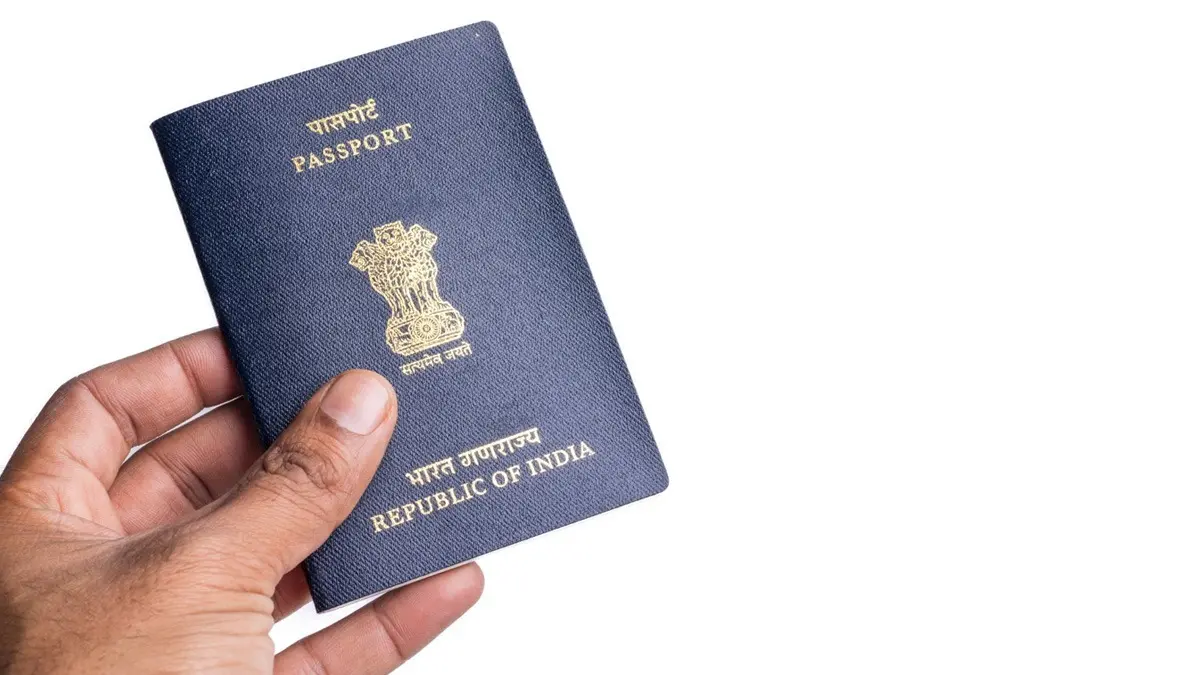
Applying for a passport is now easier than ever with a simple online process. The chip-enabled e-Passport is the standard issue now for both new passports and renewals and can be easily obtained by through the government portal.
What Is an E-Passport and How Does It Work?
Simply put, an e-passport is a traditional passport embedded with a microchip that stores personal and biometric details like fingerprints and a digital photo. A small gold symbol on the cover denotes that it is an e-passport.
Advertisement

How to Apply for an E-Passport Online in India?
Step 1: Online Registration
Advertisement
Go to the Passport Seva website: www.passportindia.gov.in.
Click on “New User Register Now”, create an account if you are a new user or log in with your credentials if you are an existing user.
Choose your nearest Passport Office (RPO).
Fill in the form with the required details.
Check your registered email and click the confirmation link to activate your account.
Step 2: Fill and Submit the Application Form
Log in to the Passport Seva Portal using your registered ID and password.
On the Applicant Home page, click on "Apply for Fresh Passport/Re-issue of Passport." Choose "Fresh" if you've never had a passport. Choose "Re-issue" if you are renewing an existing one.
Select the "Online Application Form" option.
Fill out the form completely and accurately (personal details, family details, address, etc.). Make sure you validate all details before submitting, as you cannot make changes after submission.
Click "Submit".
Step 3: Pay and Schedule an Appointment
After submitting the form, click on “View Saved/Submitted Applications”.
Click on ‘Pay and Schedule Appointment’.
Pay the applicable passport fee.
Select your preferred Passport Seva Kendra (PSK) or Post Office Pass Seva Kendra (POPSK) and choose a suitable date and time from the available slots.
Click “Print Application Receipt” and keep the receipt containing your Application Reference Number (ARN) and appointment details.
Step 4: Visiting the Passport Seva Kendra
On the day of your appointment, visit the PSK or POPSK on time and carry the necessary documents.
Complete your document verification, biometrics, and final check by the passport officer.
Step 5: Police Verification and Dispatch
Police Verification (PV): In most cases (especially fresh applications), a Police Verification will be initiated, where a local police officer will verify your address and personal details.
Dispatch: Once the PV report is received and is 'Clear,' the passport will be printed (with the embedded chip) and dispatched via speed post to your registered address.
Necessary Documents
Make sure you have the following documents ready throughout the process.
Proof of Present Address (POA) : Aadhaar Card, Voter ID Card, Utility Bill (Electricity/Water/Gas) in applicant's name, Bank Passbook (with photo, attested, and latest transaction), Rent Agreement (if applicable).
Proof of Date of Birth (PODB): Birth Certificate, School Leaving Certificate, or PAN Card (if date of birth is mentioned).
Proof of Identity: Aadhaar Card, PAN Card, Voter ID Card.
Existing Passport: Only required for Re-issue/Renewal applications.
FAQs
Will You Need to Replace Your Existing Passport?
No, the existing passport does not need to be updated now. The current, non-electronic Indian passport remains fully valid until its stated expiration date.
Top Features and Benefits of India’s New E-Passport
Enhanced security: The combination of printed and encrypted data makes it much more difficult to counterfeit.
Faster immigration: Automated verification processes lead to quicker processing times at borders and e-gates.
Increased protection: Enhanced security features reduce the risk of identity theft.