
Apple Discontinues Clips, App That Made Video Editing on iPhone Easy
Apple launched Clips in 2017 as a platform for video editing, offering users different ways to add music, videos, texts, and filters.
- Tech News
- 2 min read

;'%3e%3cpath%20d='m8,15.99c4.41,0,7.99-3.58,7.99-7.99S12.41,0,8,0,0,3.59,0,8s3.58,7.99,7.99,7.99Z'%20style='stroke:%23fff;%20stroke-miterlimit:10;%20stroke-width:.02px;'/%3e%3cpath%20d='m3.08,3.37l3.82,5.11-3.84,4.15h.87l3.37-3.64,2.72,3.64h2.94l-4.04-5.39,3.58-3.87h-.86l-3.1,3.35-2.5-3.35h-2.94Zm1.27.64h1.35l5.97,7.99h-1.35l-5.97-7.99Z'%20style='fill:%23fff;'/%3e%3c/g%3e%3c/svg%3e)


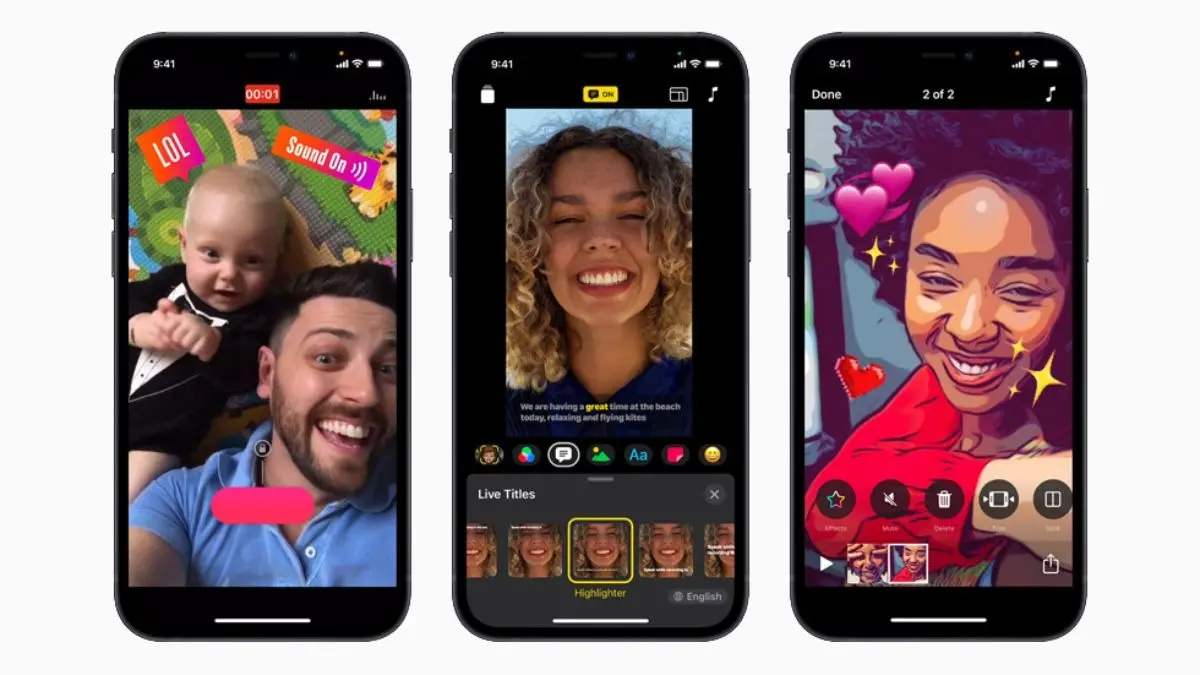
Apple’s video editing app, Clips, is shutting down. In a silent announcement, the company said it will no longer update Clips and that it will no longer be available for download. And while existing users will continue to have access, the days for that appear numbered.
“The Clips app is no longer being updated, and will no longer be available for download for new users as of October 10, 2025. You can continue to use Clips on iOS 26 and iPadOS 26 or earlier,” said Apple on a support page.
Clips debuted in 2017 as a platform for video editing, offering users different ways to add music, videos, texts, filters, and then share them directly on social media and to third-party video editors, such as InShot, VN Video Editor, and GoPro Quik. Apple later added the ability to put stickers and augmented-reality-based elements to creations. However, more advanced tools, such as Instagram Edits, impeded its adoption.
If you have been using Clips or have it downloaded on your iPhone or iPad, you can continue to edit videos. However, it will be better to back up all your content, including raw footage, directly to your Photos library in case Clips is entirely pulled in the near future. Apple has laid out steps on how to do it on the support page, but here is a quick reference:
Advertisement
- Open Clips and go to the video you want to save.
- Tap the Share button at the bottom right.
- Choose Options and then tap Video.
- Select your preferences, such as the Aspect Ratio, and then tap Done.
- Tap a Save option. You have two options for saving a video:
— Save to Photo Library: Tap Save Video to store it directly in your Photos app.
— Save to Files: Tap Save to Files to choose a specific location, such as iCloud Drive or your device. You can name the file at the bottom of the screen and tap Browse at the top left to see additional saving locations.