
Nothing Ear (1) firmware update contains Game Mode sync for Phone (1), Quick Swift support
The update brings new synchronisation with Phone (1) in Game Mode. Read more details about the Nothing Ear (1) firmware update here and features here.
- Tech News
- 2 min read

;'%3e%3cpath%20d='m8,15.99c4.41,0,7.99-3.58,7.99-7.99S12.41,0,8,0,0,3.59,0,8s3.58,7.99,7.99,7.99Z'%20style='stroke:%23fff;%20stroke-miterlimit:10;%20stroke-width:.02px;'/%3e%3cpath%20d='m3.08,3.37l3.82,5.11-3.84,4.15h.87l3.37-3.64,2.72,3.64h2.94l-4.04-5.39,3.58-3.87h-.86l-3.1,3.35-2.5-3.35h-2.94Zm1.27.64h1.35l5.97,7.99h-1.35l-5.97-7.99Z'%20style='fill:%23fff;'/%3e%3c/g%3e%3c/svg%3e)


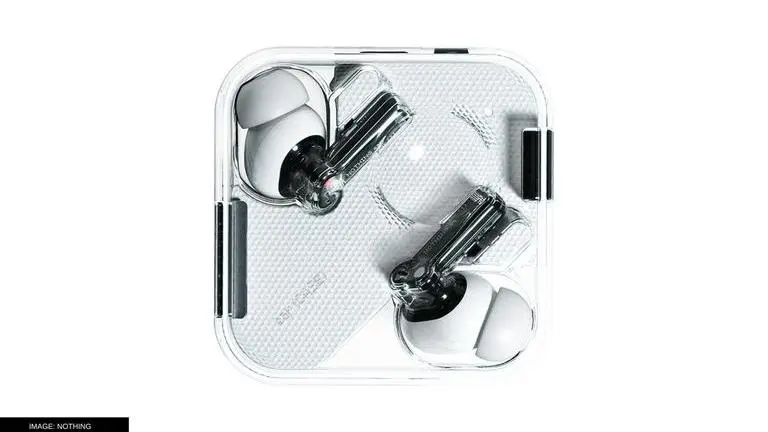
Nothing, the London-based consumer electronics company released its first product, the Nothing Ear (1) in 2021. The Ear (1) are known for their unique design and affordable price. As the company released its first smartphone called the Phone (1), it has released a new firmware update for the Ear (1). The update contains two new features and is about 1.8MB in size. Keep reading to know more about the Nothing Ear (1) update, what it contains and how to update firmware on Ear (1).
Nothing Ear (1) firmware update contains new features
The Nothing Ear (1) firmware update v0.6700.1.88 contains three new features.
- First, the update brings new synchronisation with Phone (1) in Game Mode. If Phone (1) is connected to Ear (1) while playing a game, Ear (1) will automatically activate the low-latency mode.
- Another feature in the update is added support for Microsoft Quick Swift. It allows users to quickly pair their Ear (1) with all Microsoft devices of Windows 10 via an automatic pop-up window that informs about the connection.
- Last but not least, the new update improves the call life of the Ear (1) by optimising power consumption during calls.
How to update the Nothing Ear (1) firmware?
Open the Ear (1) app and connect the Ear (1) buds. Tap on the three-dots menu at the top right corner of the display and select 'Firmware Update.' If an update is available, the option will show 'new update available' and contain the details of the update, including the firmware version, the size of the update and the feature that has been added as a part of the update. Tap on 'Download and Install' at the bottom of the page and the update should install.
While updating the Ear (1), make sure that the device has at least 10 battery levels or it is actively charging. Further, keep the earbuds in the charging case and the lid of the charging case open until the firmware updates. It hardly takes a few minutes for a smartphone to download the update but it might take a few minutes to install it on the Ear (1) via Bluetooth. Hence, be patient and do no interrupt the update process.