
How to change voice in Monster Hunter Rise? A detailed, step by step guide
How to change voice in Monster Hunter Rise? Learn step by step instructions on how to change voice in Monster Hunter Rise, the character creation, and more

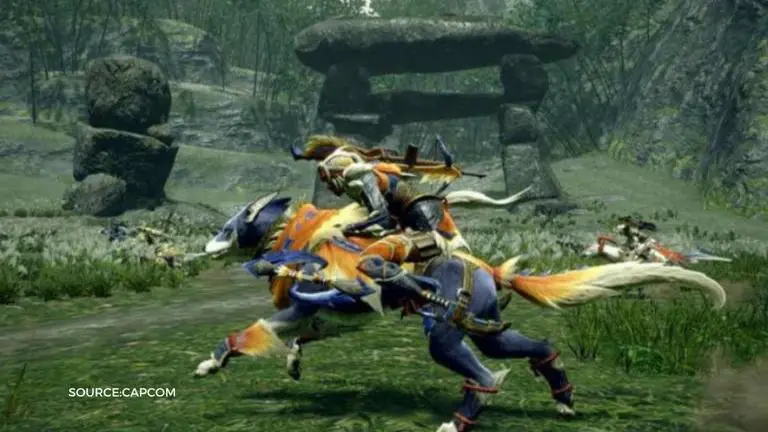
Monster Hunter Rise is a powerful action role-playing game developed and published by Capcom for the Nintendo Switch. The game is sixth in the series and it is released on March 21, 2021 all around the world. In this post, we are going to have a closer look at how to change voice in Monster Hunter Rise, Monster Hunter Rise character creation and more.
How to change voice in Monster Hunter Rise?
It looks like there isn’t a direct, step by step guide on how to change voice in Monster Hunter Rise. Many players also don’t have any idea about it either. No worries, we have a perfect solution for you! Just read this guide carefully and keep it as a reference source. When you do want to change voice in Monster Hunter rise, it’ll help you immensely.
Having said that, the only voices you can change in Monster Hunter Rise are the DLC voices. After starting the game, go to the voice setting menu. It’ll list the DLC voices as well as the voice you started the game with. Choose the DLC voice you like and confirm the changes. Restart the game and you are good to go with the selected new voice. In the next section, we’ll learn about the Monster Hunter Rise character creation.
Monster Hunter Rise charactor creation
After starting the Monster Hunter Rise game, you have to create your own character. This is purely imaginative, but you can think about spending some time creating character of your likings. The game offers multiple options that let you create characters with different appearances. Besides face creator, you will be able to also add makeup/tattoos, select a voice, or a face expression. After that you have to confirm your choice. Then, start the adventure with your new hero.
Advertisement
How to change your appearance in Monster Hunter Rise?
To change your appearance, approach any Item Box in Kamura. These can be found in a number of different places throughout the village such as the main square and where you pick up quests. When you approach an Item Box, press A to interact with it and then select Appearance Settings and then to Change Appearance. This will open up the original character creation screen from the start of the game. From here, you will be able to alter your hairstyle, makeup, facial hair, eyebrows, base clothing, and voice. You’ll notice this doesn’t include any physical changes to your character’s body. Unfortunately, once you decide your hunter’s gender and the shape of their body, that’s permanent throughout all of Monster Hunter Rise. You’ll want to ensure that you’re happy with your hunter’s general physical appearance before starting the game. Otherwise, you will be forced to start over completely and redesign your character.