
Google Photos Now Has Nano Banana AI: How to Use It to Edit Photos Better
The latest Google Photos update adds a “Help me edit” button, AI templates under a new Create tab, and broader “Ask Photos” search.
- Tech News
- 2 min read
Follow :

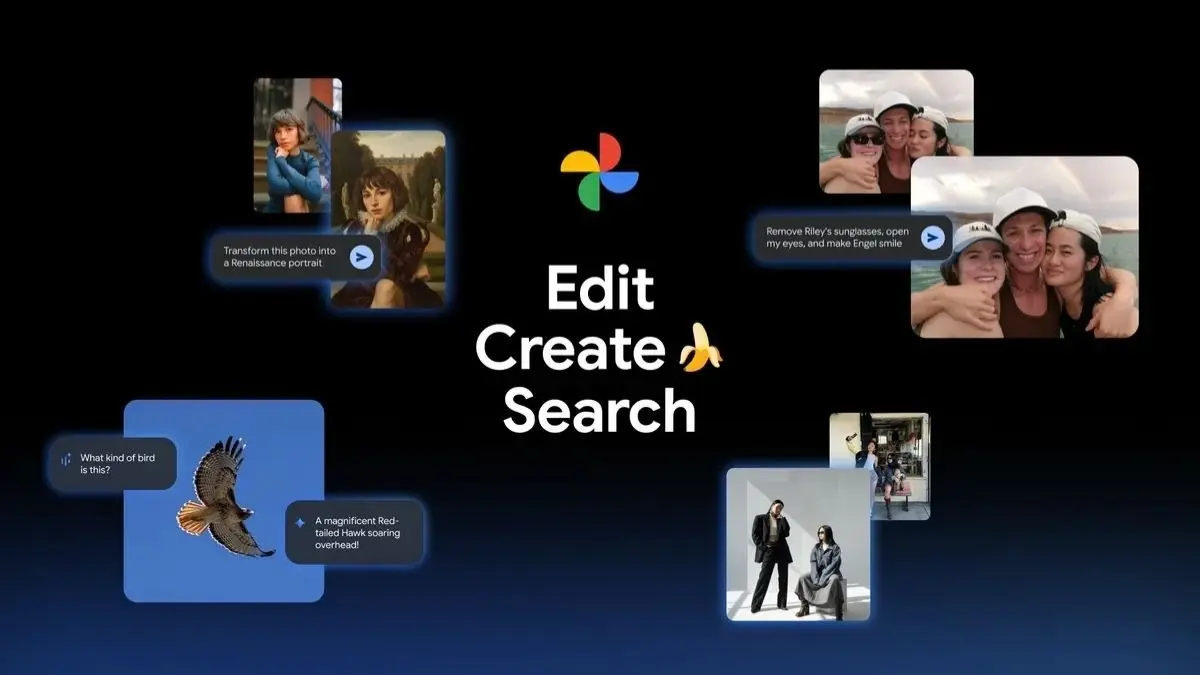
Google Photos is rolling out Nano Banana, an AI image model that lets you transform, fix, and restyle pictures using simple prompts in the built‑in editor. The update adds a “Help me edit” button, AI templates under a new Create tab, and broader “Ask Photos” search—all designed to make edits faster on Android and iOS, with staged availability in the US, India, and more than 100 countries.
What Nano Banana can do in Google Photos
- Restyle with prompts: Turn a portrait into a Renaissance painting, make a mosaic out of a travel shot, or generate a storybook look. You just need to describe the style you want, and Photos applies it.
- Fix people and moments: Request edits like opening closed eyes, removing sunglasses, or softening motion blur; Photos can reference your private face groups to target the right person.
- Use ready‑made templates: In the Create tab, “Create with AI” offers one‑tap templates such as “high‑fashion photoshoot,” “professional headshot,” or “winter holiday card,” with rollouts starting on Android in the US and India.
How to access Nano Banana
- Update Google Photos: Install the latest version from the Play Store or App Store; rollout is staged, so features may appear over the next few days.
- Open any photo > Edit > Help me edit: Type or speak what you want, and Photos will generate preview variations you can refine with follow‑up prompts.
- Try the Create tab: Look for “Create with AI” to browse templates; personalised templates that draw from your library are expanding to 100+ countries and more languages via the new Ask tab.
Prompt tips that work
- Be specific on subject and style: “Turn this selfie into a Renaissance portrait with warm lighting and canvas texture” yields cleaner results than “make it artistic.”
- Chain edits: Start with “remove sunglasses,” then “open eyes slightly,” then “apply soft film grain.” Nano Banana supports iterative refinement.
- Use references: “Mosaic made of colourful tiles,” “storybook illustration,” or “retro 4K portrait” are examples Google highlights for consistent outcomes.