
Instagram Now Lets You Translate Reels to Bengali, Tamil, 3 More Indian Languages
Creators can now use Meta AI to translate spoken audio in Reels into Bengali, Tamil, Telugu, Kannada and Marathi, in addition to already supported languages.

;'%3e%3cpath%20d='m8,15.99c4.41,0,7.99-3.58,7.99-7.99S12.41,0,8,0,0,3.59,0,8s3.58,7.99,7.99,7.99Z'%20style='stroke:%23fff;%20stroke-miterlimit:10;%20stroke-width:.02px;'/%3e%3cpath%20d='m3.08,3.37l3.82,5.11-3.84,4.15h.87l3.37-3.64,2.72,3.64h2.94l-4.04-5.39,3.58-3.87h-.86l-3.1,3.35-2.5-3.35h-2.94Zm1.27.64h1.35l5.97,7.99h-1.35l-5.97-7.99Z'%20style='fill:%23fff;'/%3e%3c/g%3e%3c/svg%3e)


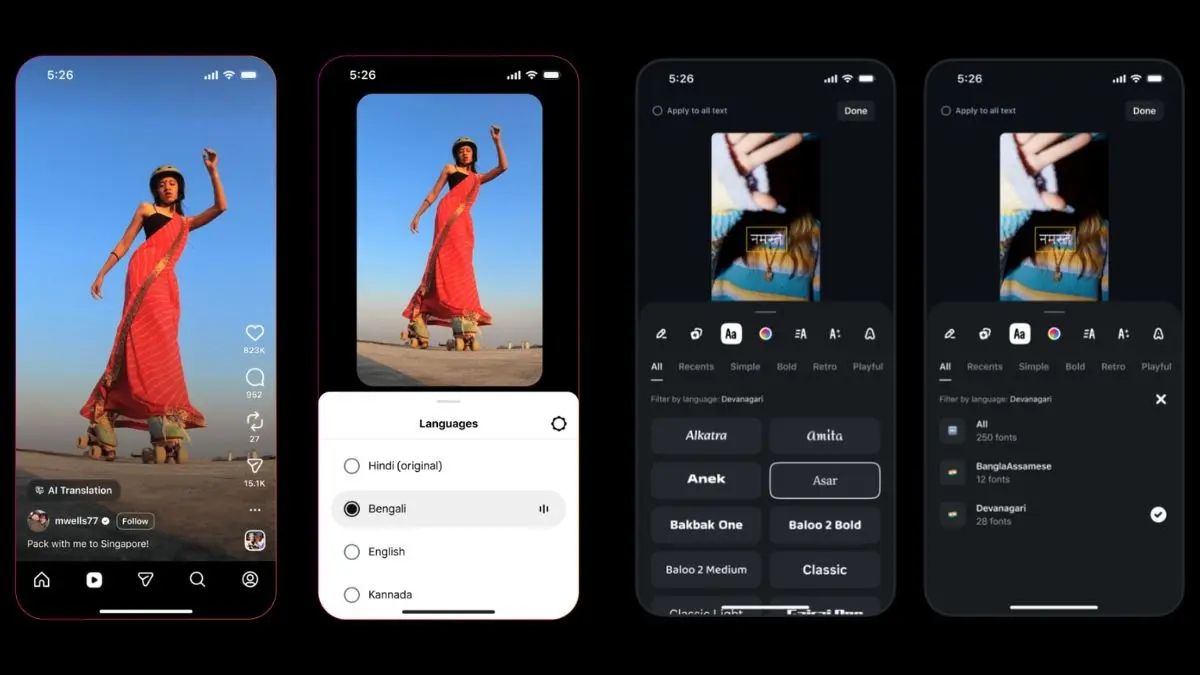
Instagram is rolling out Meta AI-powered Reel translation for dubbing and lip-sync in five additional Indian languages—Bengali, Tamil, Telugu, Kannada, and Marathi—expanding beyond Hindi and a few global languages, such as English and Spanish. The update, first announced in late 2025, is now being made available widely, with Meta using India-focused creator events to underline the market’s strategic importance.
What’s new: translation + dubbing for Reels
Creators can now use Meta AI to translate spoken audio in Reels into Bengali, Tamil, Telugu, Kannada and Marathi, in addition to already supported Hindi, English, Spanish and Portuguese. Meta’s pitch is that the tool preserves the creator’s voice tone rather than swapping in a generic synthetic voice, and it also offers an optional lip-sync mode that aligns translated speech to mouth movements.
“When turned on, the tool preserves the sound and tone of your voice, so your reels feel authentically you,” said Instagram in a statement.
In practical terms, this is aimed at helping creators reach audiences outside their primary language belt without re-recording the same Reel multiple times. It also signals Meta’s belief that “language” is still one of the biggest growth bottlenecks for video discovery in India.
Advertisement
A second creator update: Indian-script fonts in Edits
Alongside Reel translations, Instagram is expanding Indian-script font support in its Edits tool, adding fonts for Devanagari and Bengali-Assamese scripts. This enables in-video text and captions in languages including Hindi, Marathi, Bengali and Assamese, with the rollout starting on Android in the coming days. To enable the feature, head to the “Text” in the bottom tools tray and then click on the “Aa” icon, where all the available fonts will be displayed.