
iOS 26 Can Help Stop Spam Calls—This Is How on iPhone
Apple has rolled out iOS 26, featuring a new tool called Call Screening that helps avoid spam calls on your iPhone.
- Tech News
- 3 min read

;'%3e%3cpath%20d='m8,15.99c4.41,0,7.99-3.58,7.99-7.99S12.41,0,8,0,0,3.59,0,8s3.58,7.99,7.99,7.99Z'%20style='stroke:%23fff;%20stroke-miterlimit:10;%20stroke-width:.02px;'/%3e%3cpath%20d='m3.08,3.37l3.82,5.11-3.84,4.15h.87l3.37-3.64,2.72,3.64h2.94l-4.04-5.39,3.58-3.87h-.86l-3.1,3.35-2.5-3.35h-2.94Zm1.27.64h1.35l5.97,7.99h-1.35l-5.97-7.99Z'%20style='fill:%23fff;'/%3e%3c/g%3e%3c/svg%3e)


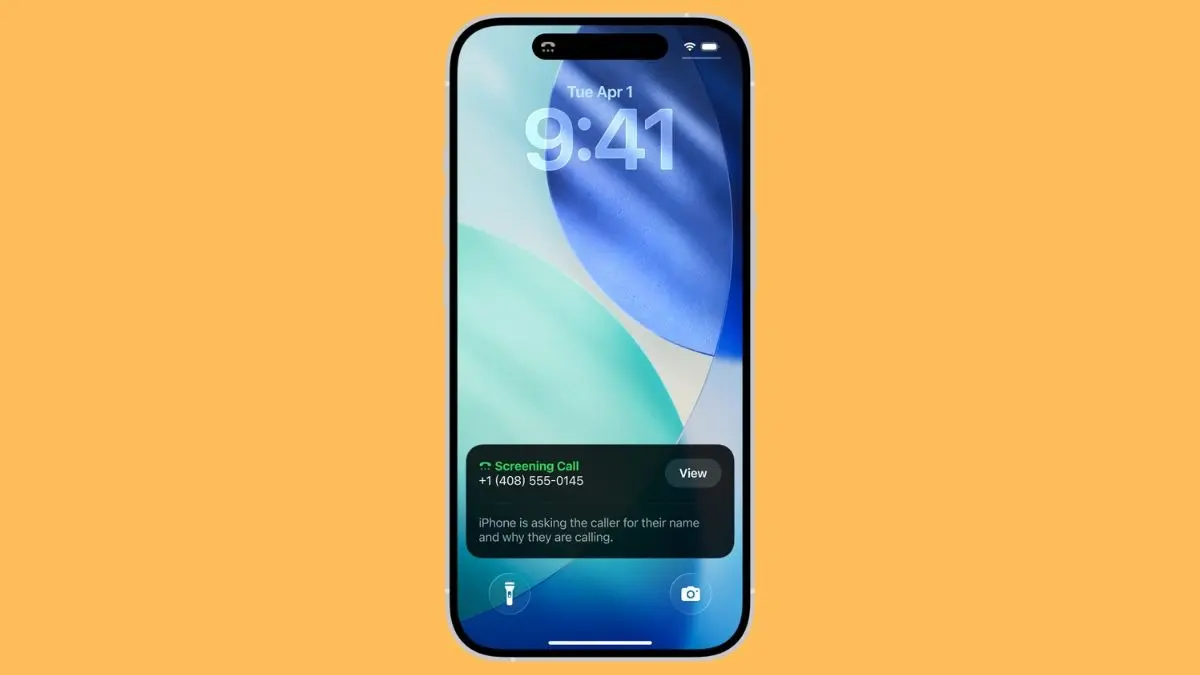
Apple’s new iOS 26 is the biggest upgrade to iPhone’s software in years, featuring a new translucent theme that the company calls ‘Liquid Glass’ and a horde of nifty tools. One of them is going popular, and for all the right reasons. iOS 26 has a feature called Call Screening, which answers calls from unknown numbers on your behalf, asks the caller to specify their name and reason for calling, and then gives you the option to take the call or reject it.
How does Call Screening work?
After you have enabled the feature, your iPhone will screen unknown calls, asking the caller to identify themselves and state a reason. Then, it will prompt the caller to wait for you to pick up the call. Meanwhile, you will see a transcription of the entire conversation happening between the caller and Apple’s AI system.
If you are convinced, you can accept the call or send the caller straight to voicemail, where they can record a voice message. Make no mistake, this is not an alternative to call identification systems, such as Truecaller. Instead, it just acts on your behalf to keep unknown calls, especially those from spammers, at bay.
How to enable Call Screening?
First, you need iOS 26 on your iPhone for Call Screening to work. That means if you have any model below the iPhone 11, you need to upgrade, as iOS 26 will not be supported on your device. If you have an eligible iPhone, simply go to Settings > General > Software update to look for an iOS 26 update. When available, hit the Download & Install button to begin the process.
Advertisement
Now that your iPhone is running iOS 26, head to Settings > Apps > Phone > Screen Unknown Callers. Alternatively, you can search for the setting by typing it in the search field on the Settings screen. You will see three options: Never, Ask Reason for Calling, and Silence. Select the second option to allow your iPhone to screen calls. If you choose ‘Never’, unknown calls will ring your iPhone normally. Choosing the third option will simply silence unknown calls but not screen them.
The Call Screening feature works with two filters: the Unknown Callers filter and the Spam filter. The first one will screen any call from an unknown number, while the second option will work only for the calls that iPhone’s system flags as spam or fraud. However, you need to go to a different setting option to turn on one of these filters.
Advertisement
Call Screening currently works in English in India, and the company has not said a word on whether more languages will be supported in future.