
Irritated by Instagram Instants? This Is How to Disable It
On an app where users are accustomed to reviewing and carefully curating their content before sharing it, the feature's instant-send design has understandably frustrated many people.

;'%3e%3cpath%20d='m8,15.99c4.41,0,7.99-3.58,7.99-7.99S12.41,0,8,0,0,3.59,0,8s3.58,7.99,7.99,7.99Z'%20style='stroke:%23fff;%20stroke-miterlimit:10;%20stroke-width:.02px;'/%3e%3cpath%20d='m3.08,3.37l3.82,5.11-3.84,4.15h.87l3.37-3.64,2.72,3.64h2.94l-4.04-5.39,3.58-3.87h-.86l-3.1,3.35-2.5-3.35h-2.94Zm1.27.64h1.35l5.97,7.99h-1.35l-5.97-7.99Z'%20style='fill:%23fff;'/%3e%3c/g%3e%3c/svg%3e)


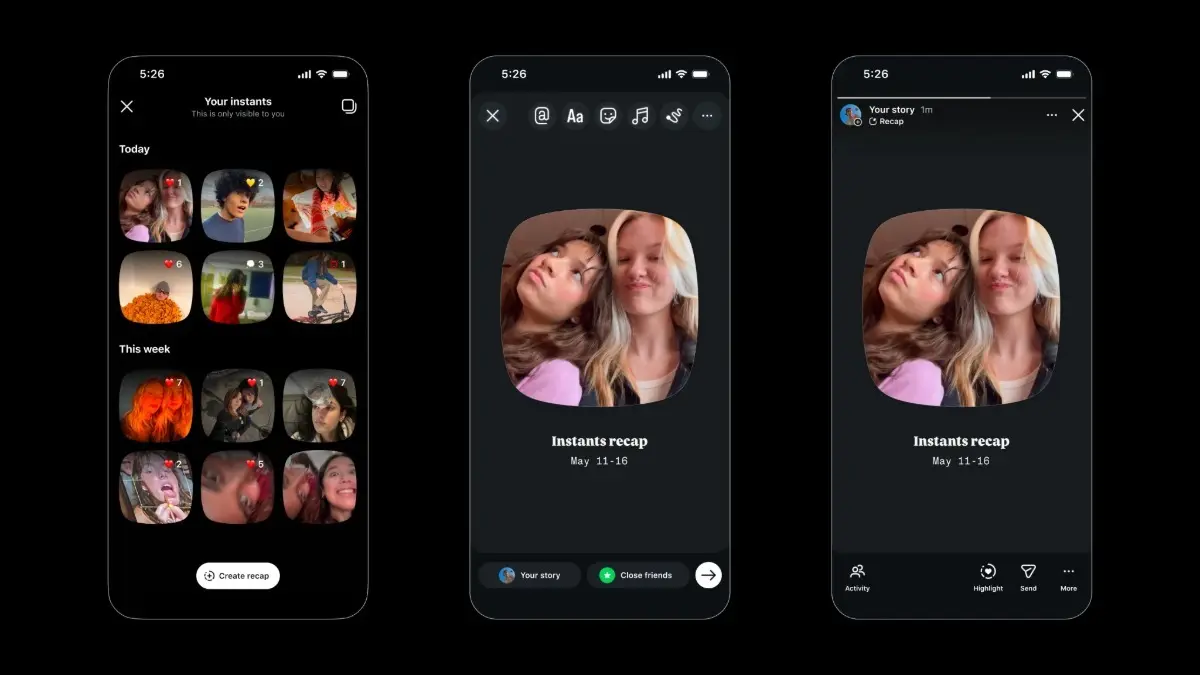
Instagram's new Instants feature arrived globally on 13 May 2026, and the backlash has been almost as swift as the feature itself. What the platform failed to make obvious is that the very first time someone taps the shutter button, that photo is immediately broadcast to their entire Friends list with no preview, no confirmation, and no second chances. On an app where users are accustomed to reviewing and carefully curating their content before sharing it, the feature's instant-send design has understandably frustrated many people, considering their privacy is at stake.
The problem is compounded by the onboarding flow. Tapping the little stack of photos in the bottom-right corner of the Instagram inbox brings up a short tutorial that tells you Instants disappear, there is no viewers list, and any reactions or replies stay private. The walkthrough then shows you how to view and react to images others have sent. Then comes the camera, with Friends set as the default audience. Many users have found themselves sending a photo before they fully understood what they were doing.
If you would rather not deal with it at all, disabling the feature is straightforward.
How to Turn Off Instants Completely
Advertisement
Go to your profile, tap the three-line menu at the top right to open settings, scroll down to Content Preferences, and toggle on Hide Instants in Inbox. Once you select this option, you will no longer see the Instants feature in your inbox, and you also will not see any Instants that others have sent you.
How to Temporarily Pause It
Advertisement
For users who want a less permanent solution, there is also an option to hold down the pile in the inbox and swipe right, which temporarily pauses incoming photos without fully disabling the feature.
How to Unsend an Instant You Have Already Sent
The moment a photo sends, an Undo option appears just below the shutter button. Tapping it immediately retracts the photo before any recipient opens it. You can also go to your archive by selecting the four-box icon at the top right of the camera and delete an Instant, which will unsend it to anyone who has not yet opened it.