
Samsung Galaxy Z Fold 8 Review: This Is the Foldable Phone I Didn't Know I Wanted
The Galaxy Z Fold 8 is essentially a flagship phone with slightly fewer bells and whistles than the Ultra, sitting above the Flip in Samsung's foldable lineup. But is it worth its price?
- Tech News
- 9 min read

;'%3e%3cpath%20d='m8,15.99c4.41,0,7.99-3.58,7.99-7.99S12.41,0,8,0,0,3.59,0,8s3.58,7.99,7.99,7.99Z'%20style='stroke:%23fff;%20stroke-miterlimit:10;%20stroke-width:.02px;'/%3e%3cpath%20d='m3.08,3.37l3.82,5.11-3.84,4.15h.87l3.37-3.64,2.72,3.64h2.94l-4.04-5.39,3.58-3.87h-.86l-3.1,3.35-2.5-3.35h-2.94Zm1.27.64h1.35l5.97,7.99h-1.35l-5.97-7.99Z'%20style='fill:%23fff;'/%3e%3c/g%3e%3c/svg%3e)


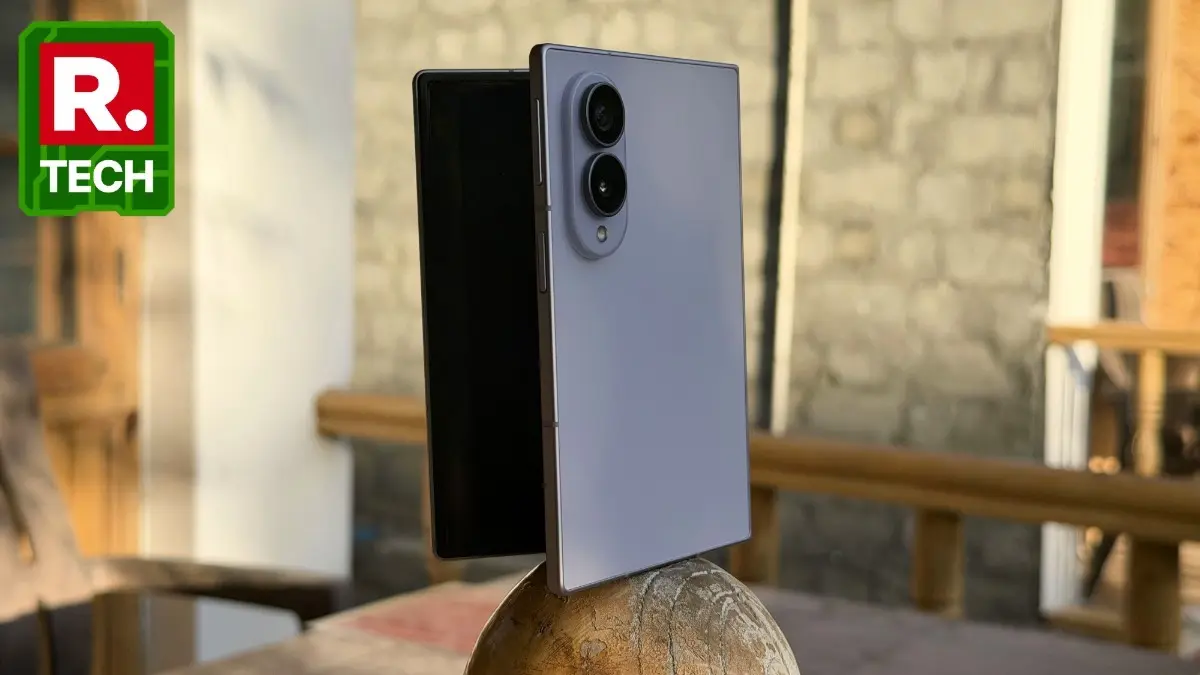
Samsung has changed the naming of its foldables this year, and that is probably the first thing you need to understand about the Galaxy Z Fold 8. The conventional book-style foldable is now called the Galaxy Z Fold 8 Ultra, while the regular "Z Fold" name has been given to an entirely new passport-shaped foldable. Confusing? Absolutely. But once I started using the Galaxy Z Fold 8, I realised that the strange naming is probably less important than the rather interesting device Samsung has created.
The Galaxy Z Fold 8 is essentially a flagship phone with slightly fewer bells and whistles than the Ultra, sitting above the Flip in Samsung's foldable lineup. But more than its specifications, the phone's biggest appeal is its design.
I have had people asking me to hand over the phone so they could check out how it looks. They were both amazed and amused by it. It does not look like the foldables we have become accustomed to, and that alone makes it interesting.
What's Good
The passport-like design works in the phone's favour. Samsung's argument is that the new aspect ratio gives content more room to breathe, making Instagram Reels, videos, e-books and even editing easier to navigate. When folded, the phone uses a 10:16 cover-screen ratio on the 5.5-inch screen, while the main 7.6-inch display opens into a 4:3 screen. At 201g, it is also Samsung's lightest Fold yet.
Advertisement
I immediately noticed how much easier it is to hold compared with the Galaxy Z Fold 8 Ultra. It fits into my hands and pockets more conveniently, and I don't have to constantly adjust my grip to operate it. The phone unfolds easily, and its wider shape means my thumb can reach more of the screen without demanding assistance from my other hand.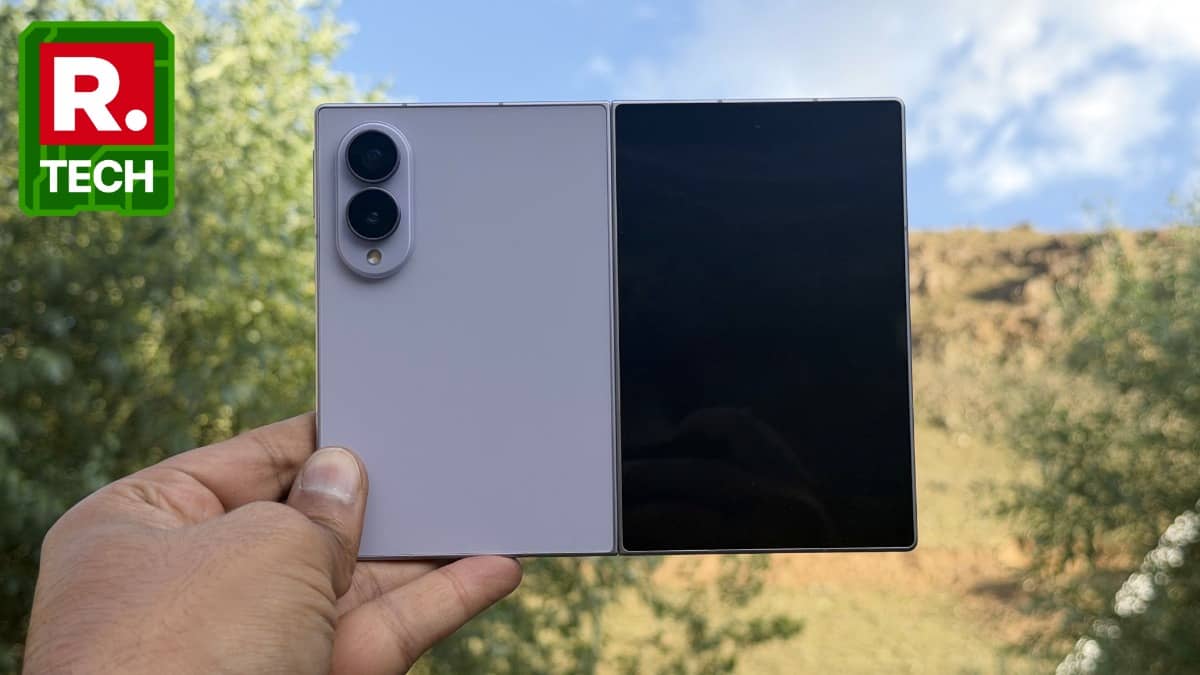
Samsung says the new form factor makes content more immersive, and in some ways, I agree.
Advertisement
I particularly liked watching videos when they were cropped to fill the screen. Most videos and movie trailers use a wider aspect ratio, which means there are usually black bars at the top and bottom on a 4:3 display. Cropping the video does cut out some of the content, but I never found the result particularly jarring. How much of the video remains visible also depends on how I hold the phone.
Unlike the Z Fold 8 Ultra, which becomes almost square when opened, the Z Fold 8 becomes a rectangle. When I hold it by its longer edge, more of the video remains visible while still taking advantage of the wide screen.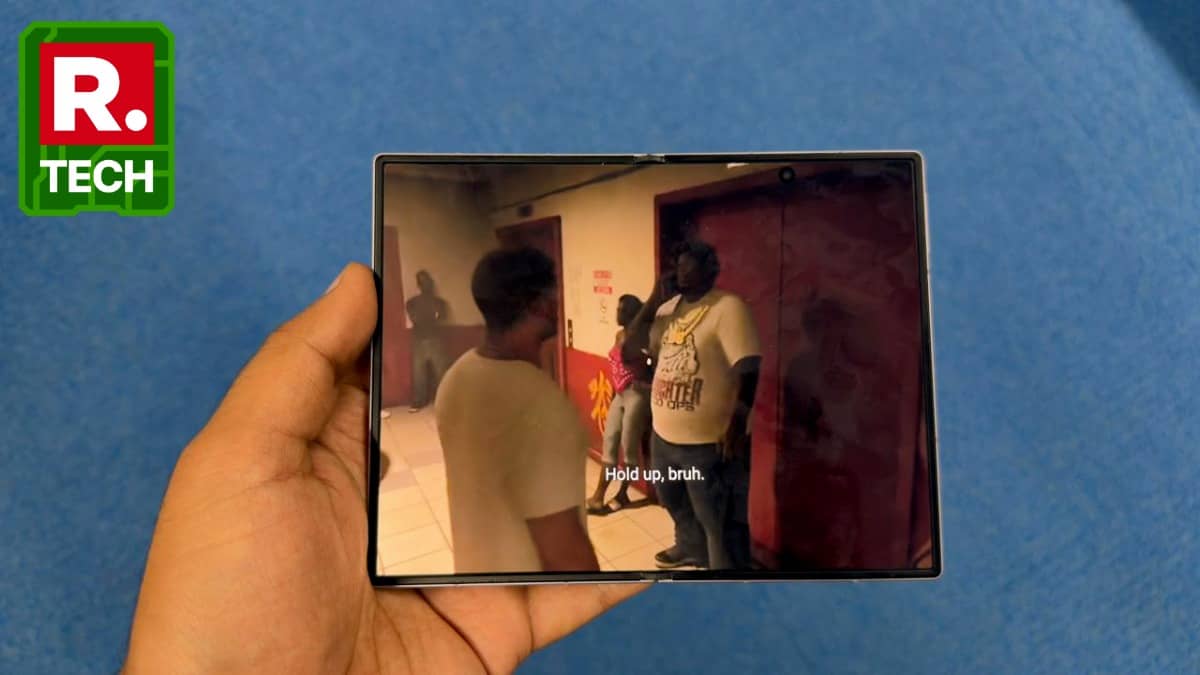
Websites are another story. They look excellent on the main display because most websites are designed around a wider rectangular format. Reading articles, browsing pages and going through long-form content feels more natural than it does on a conventional phone. Samsung's 4:3 main display is also intended for movies and e-books, and the unfolded screen gives me considerably more room to work with.
The problem becomes more obvious with Instagram. Samsung says the wider screen can make social media more immersive, and it can, but only when I hold the phone in the right orientation. When Instagram switches to its tablet-style layout, the experience makes considerably more sense. Otherwise, there can be large areas of white space around the feed.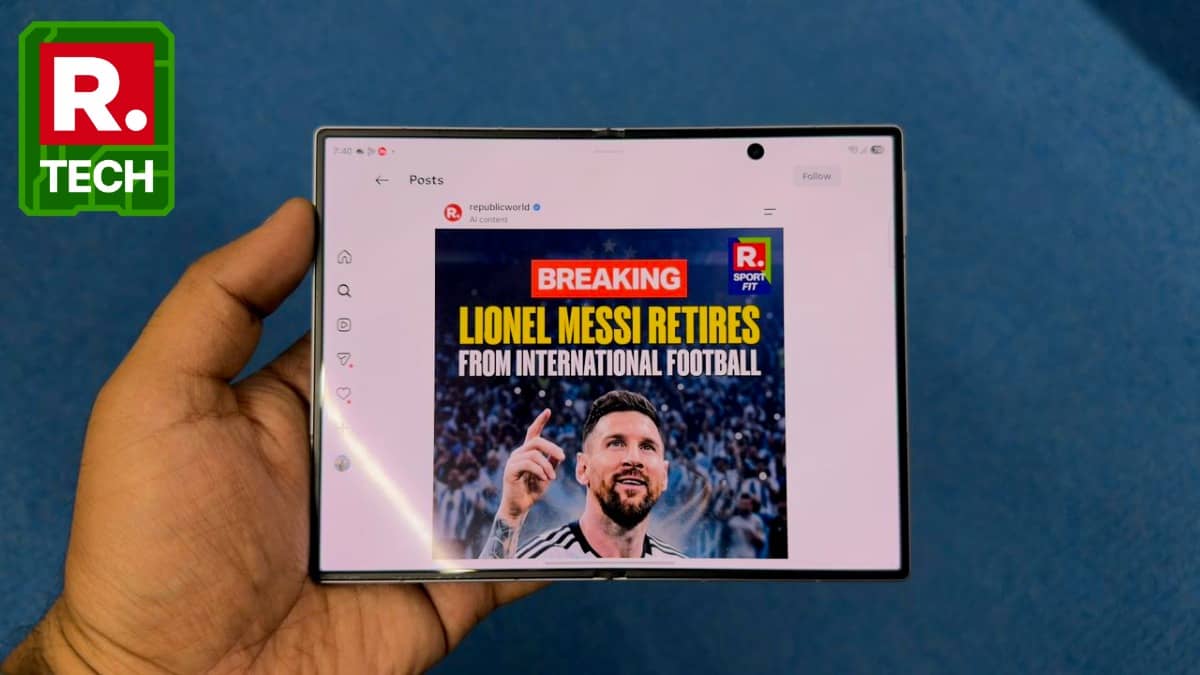
The cover screen is even more awkward with Instagram Reels. It is simply too wide for the app to fill properly, and the resulting layout can look rather strange. This is not entirely Samsung's fault because the format is new and Meta has not optimised Instagram Reels for it. Streaming apps such as Netflix and JioHotstar don't have the same problem. Videos appear properly on both screens, although I often had to zoom in or out to get the framing I wanted.
The 7.6-inch main display is otherwise excellent. It is a high-end Dynamic AMOLED 2X panel with a 120Hz refresh rate and HDR support, and Samsung says both screens can reach up to 3,000 nits. The anti-reflective treatment on the main screen also helps when I am using it under strong light.
The crease is less visible than before, although it has not disappeared. I can still see it when light falls directly across the display. I stopped noticing it after using the phone for a while, but anyone expecting a completely crease-free foldable will still be disappointed.
Performance is predictably excellent. The Snapdragon 8 Elite Gen 5 for Galaxy is the kind of processor I expect to see in a phone at this price. Apps open quickly, photos process almost instantly, and video rendering takes only a few seconds. Samsung has also optimised the chip for AI processing, graphics and energy efficiency.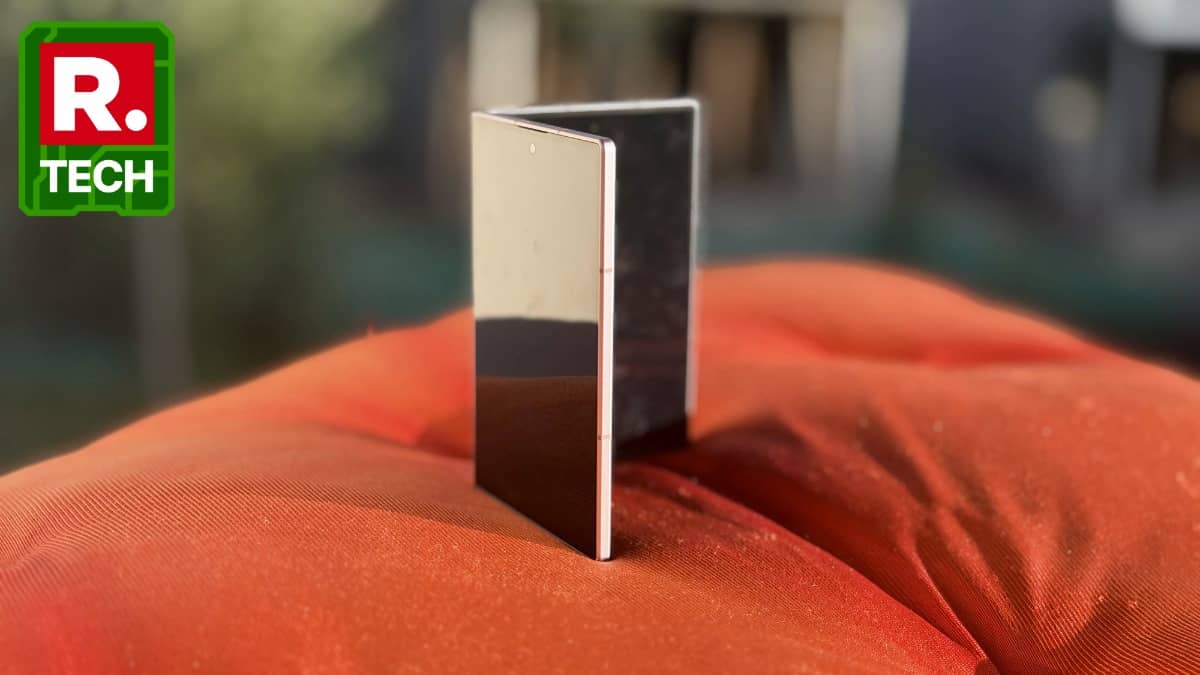
One UI 9.0, based on Android 17, makes particularly good use of the larger screen. Samsung's multitasking remains one of the best reasons to own a foldable, with multiple apps running side by side and two-way and three-way split views available on the main screen.
Now Nudge is one of the Galaxy AI features I found genuinely useful. It looks at what's happening in a conversation and suggests what I might need to do next. For example, if someone mentions an upcoming event, it can prompt me to check my calendar. I found myself relying on it enough that I barely missed some of my routine commitments. It is the kind of AI feature that works quietly in the background instead of demanding that I find a reason to use it.
The cameras are good, although they are not quite Ultra-grade. The Z Fold 8 has a 50MP wide camera and a 50MP ultrawide camera, while the Ultra gets a 200MP main camera and a dedicated 10MP telephoto camera with 3x optical zoom. The Fold 8 instead relies on up to 2x optical-quality zoom from its main camera.
I carried the Z Fold 8 with me to Ladakh, where clear skies, barren mountains, bright snow and reflective water can expose weaknesses in a phone camera. The phone passed the test.
In daylight, photos retain plenty of detail and dynamic range. The sky remains blue even under harsh sunlight, while grass around riverbeds retains its natural green colour. I also liked that the cameras did not aggressively oversaturate scenes. Leaves, rocks and distant mountains retained their textures without looking artificially sharpened.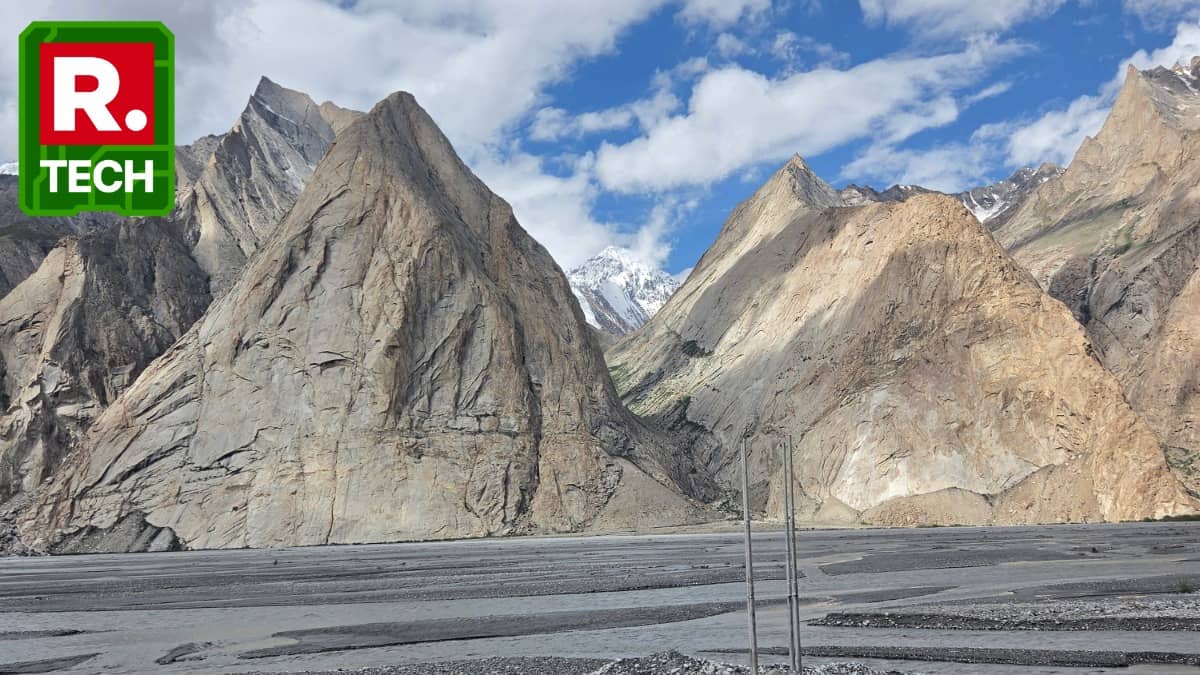
The 50MP ultrawide camera is useful for landscapes, although details naturally suffer when lighting gets difficult. Low-light photography is where the limitations become more obvious. There is visible noise in some shots, and a few were simply unusable. Others, however, preserved the atmosphere of the scene without aggressively brightening everything. Samsung's Nightography processing deserves some credit here. The ProVisual Engine also works on video, applying noise reduction, stabilisation and image processing in low light.
The 10MP selfie cameras on the cover and main screens are fixed-focus, but they produce detailed selfies when there is enough light. In dim conditions, details become softer.
Video recording is another strength. The phone can record in 8K, although I would mostly stick to 4K. The stabilisation is excellent, approaching what I get from the iPhone Pro series. More importantly, I can edit the footage directly on the phone using Samsung's native tools and Galaxy AI.
My FanCam is particularly interesting for creators. It can take a group video, identify people in the frame and create a cropped, subject-centred tracking shot. I tried it and found the idea genuinely useful. The catch is that cropping inevitably reduces quality, so the resulting video does not look as good as the original footage. Samsung officially describes the feature as creating subject-centred tracking shots from wide-angle footage.
Battery life is also better than I expected. The 4,800mAh battery comfortably lasted me through a day, and Samsung claims up to 26 hours of video playback. The move to 45W wired charging is particularly welcome because it significantly cuts down charging time compared with the older charging standard. Wireless charging is also supported.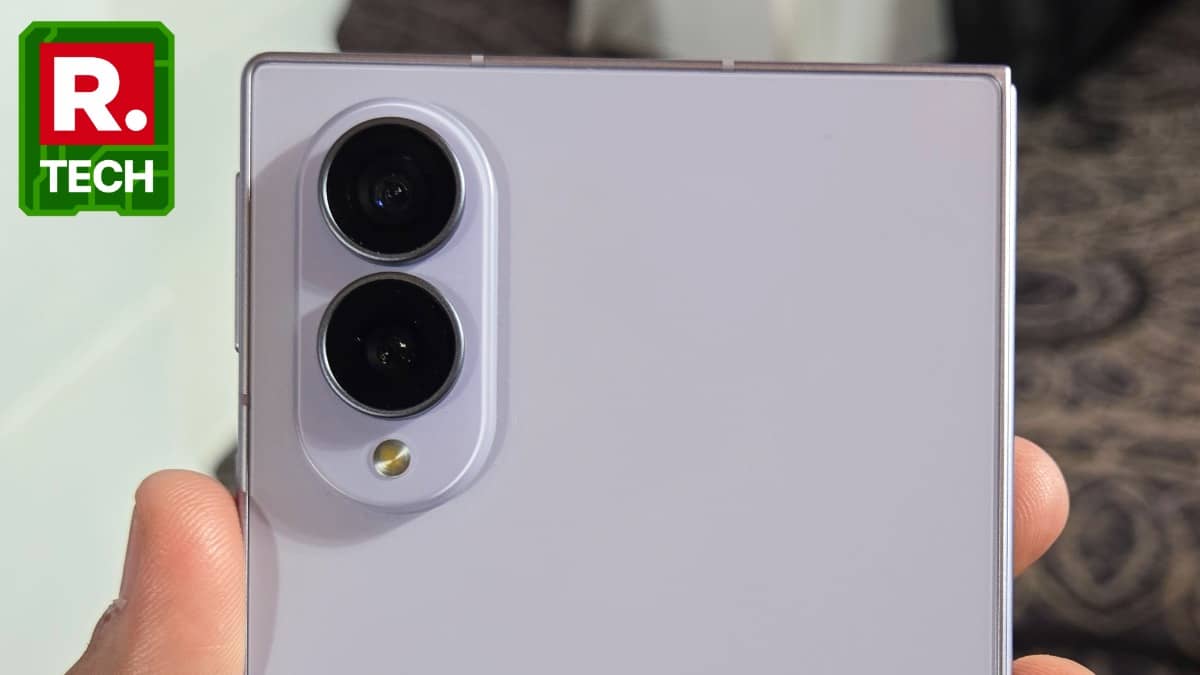
Samsung has also made the phone more durable. It uses an Armor Aluminum frame, Gorilla Glass Ceramic 3 on the front, Gorilla Glass Victus 2 on the back, two titanium layers underneath the display and an Armor FlexHinge. The phone is IP48-rated for water and dust resistance.
What's Bad
The biggest problem is that the new aspect ratio is not universally better. Samsung has created a phone around a format that apps still need to catch up with. Instagram is the most obvious example, and the cover-screen experience can be particularly awkward for people who spend hours watching Reels.
The absence of a telephoto camera also feels strange on a ₹1.8 lakh phone. The 50MP main camera is good enough for most users, but buyers spending this much may reasonably expect more flexibility. The Ultra gives them a 200MP main sensor and 3x optical telephoto, and the difference is noticeable on paper even before considering image quality.
There is another important omission: the Galaxy Z Fold 8 does not support the S Pen. Samsung says this was a deliberate hardware decision, but considering how much the larger display lends itself to productivity, I still think some users will miss it.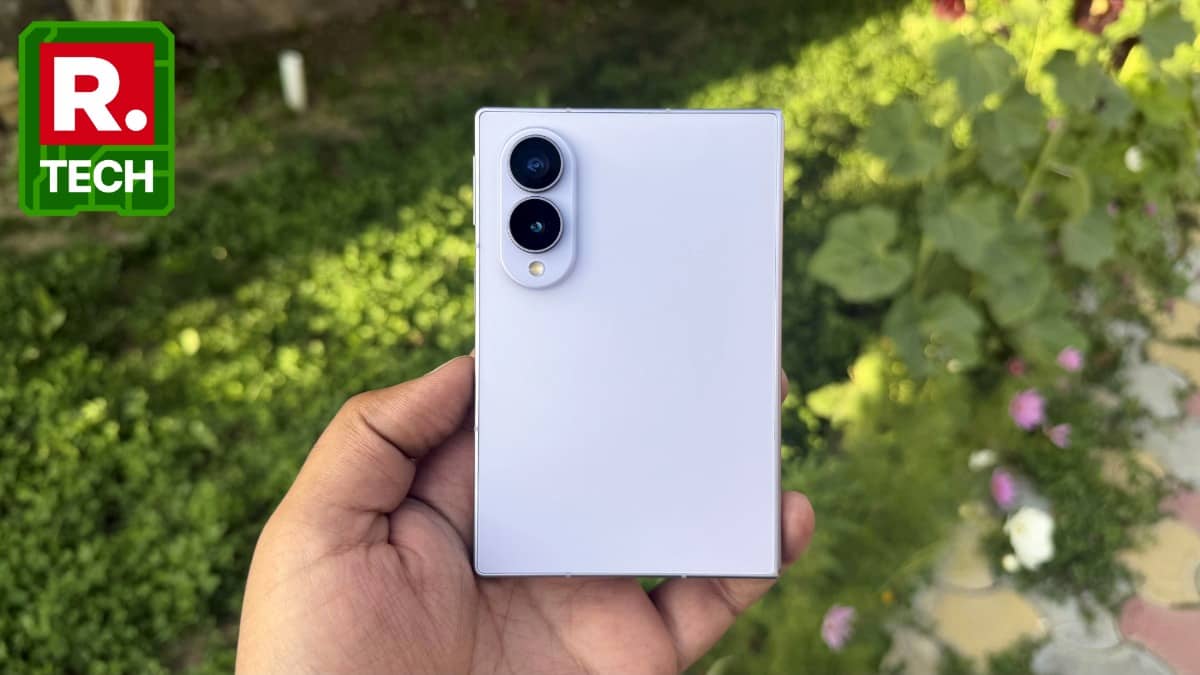
The 4:3 display is excellent for websites, reading and properly optimised video, but I cannot pretend that every app suddenly looks better because Samsung changed the aspect ratio. Some applications simply do not know what to do with all that extra space yet.
Verdict
Rating: 4/5
At ₹1,79,999, the Galaxy Z Fold 8 is an expensive experiment, but it is one I found surprisingly convincing. Samsung has not simply made another foldable thinner and lighter. It has changed what the regular Z Fold actually means.
That is the most interesting thing about the Galaxy Z Fold 8. The Ultra may have the better specifications, but the Fold 8 is the device that feels like Samsung is genuinely trying something new. The passport-shaped design is not perfect, and it will take time for apps to catch up, but after using it, I can see why Samsung made this gamble.
For once, a company changed the shape of a familiar product and gave me a reason to care. That is considerably harder to do than adding another 20 megapixels to a camera.