
WhatsApp Apple Watch App Finally Here: Reply Messages & Send Voice Notes Without iPhone
WhatsApp just launched its standalone Apple Watch app - a game changer for smartwatch users! Now read messages, send quick replies, record voice notes, and stay connected without pulling out your iPhone.
- Tech News
- 3 min read

;'%3e%3cpath%20d='m8,15.99c4.41,0,7.99-3.58,7.99-7.99S12.41,0,8,0,0,3.59,0,8s3.58,7.99,7.99,7.99Z'%20style='stroke:%23fff;%20stroke-miterlimit:10;%20stroke-width:.02px;'/%3e%3cpath%20d='m3.08,3.37l3.82,5.11-3.84,4.15h.87l3.37-3.64,2.72,3.64h2.94l-4.04-5.39,3.58-3.87h-.86l-3.1,3.35-2.5-3.35h-2.94Zm1.27.64h1.35l5.97,7.99h-1.35l-5.97-7.99Z'%20style='fill:%23fff;'/%3e%3c/g%3e%3c/svg%3e)


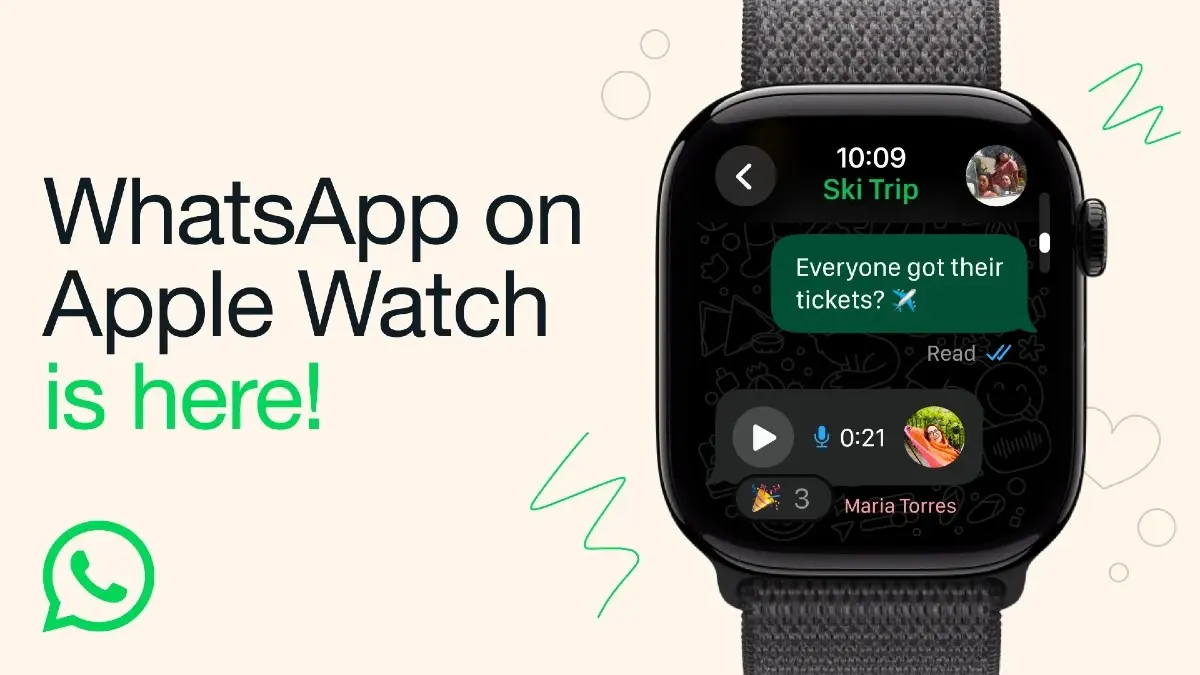
New Delhi: After nearly a decade of requests and speculation, WhatsApp has officially launched its first standalone app for the Apple Watch. The long-awaited update finally lets users send messages, reply to chats, and even record voice notes, all without needing their iPhone nearby.
WhatsApp confirmed that the new app works independently on the Apple Watch Series 4 and later models running watchOS 10 or newer. Until now, Apple Watch users could only view WhatsApp notifications or use limited workarounds through third-party apps. The new rollout changes that experience entirely.
The WhatsApp Apple Watch app brings several long-missing features that make it feel like a true extension of the chat platform rather than just a companion alert system. Users can now read entire message threads, view images and stickers, and even access parts of their chat history directly from their wrist.
WhatsApp Apple Watch App Features: What Can You Do Without Your iPhone?
Among the most notable additions is the ability to record and send voice messages, a feature that’s been heavily requested by Apple Watch users for years. The app also supports emoji reactions, allowing users to respond quickly to messages with a tap, without typing.
Advertisement
Incoming call notifications will now display the contact name and number, helping users decide whether to answer from their iPhone or dismiss it right from the watch. The interface has also been optimised for small screens, showing clearer visuals for media previews, including photos and stickers.
As expected, end-to-end encryption, a core part of WhatsApp’s privacy model, remains in place for all messages and calls made through the Apple Watch.
Advertisement
How to Download & Set Up WhatsApp on Apple Watch - Step-by-Step Guide
There are two ways to do this. If your Apple Watch and iPhone are linked and you have automatic downloads turned on, WhatsApp for Apple Watch will automatically show up on your Apple Watch. If not, then you can install WhatsApp for Apple Watch using the Watch app.
Supported Apple Watch Models & iOS Requirements for WhatsApp App
WhatsApp Apple Watch app requires Apple Watch Series 4 or later, running watchOS 10 or later.
WhatsApp says this is just the beginning. Future updates are expected to bring even more integration, possibly including status updates, media replies, and improved syncing with other Apple devices.
For now, the rollout marks a major moment for both Apple Watch owners and WhatsApp’s ecosystem. It closes a long-standing gap that competitors like Telegram and iMessage have already filled.
With this release, WhatsApp joins Apple’s growing wearable ecosystem not just as a notification tool, but as a fully functional communication app.