
iOS 26.1 Release Soon As Apple Drops RC Build: What to Expect
If Apple sticks to its usual pattern, you can expect the iOS 26.1 rollout in early November.
- Tech News
- 2 min read

;'%3e%3cpath%20d='m8,15.99c4.41,0,7.99-3.58,7.99-7.99S12.41,0,8,0,0,3.59,0,8s3.58,7.99,7.99,7.99Z'%20style='stroke:%23fff;%20stroke-miterlimit:10;%20stroke-width:.02px;'/%3e%3cpath%20d='m3.08,3.37l3.82,5.11-3.84,4.15h.87l3.37-3.64,2.72,3.64h2.94l-4.04-5.39,3.58-3.87h-.86l-3.1,3.35-2.5-3.35h-2.94Zm1.27.64h1.35l5.97,7.99h-1.35l-5.97-7.99Z'%20style='fill:%23fff;'/%3e%3c/g%3e%3c/svg%3e)


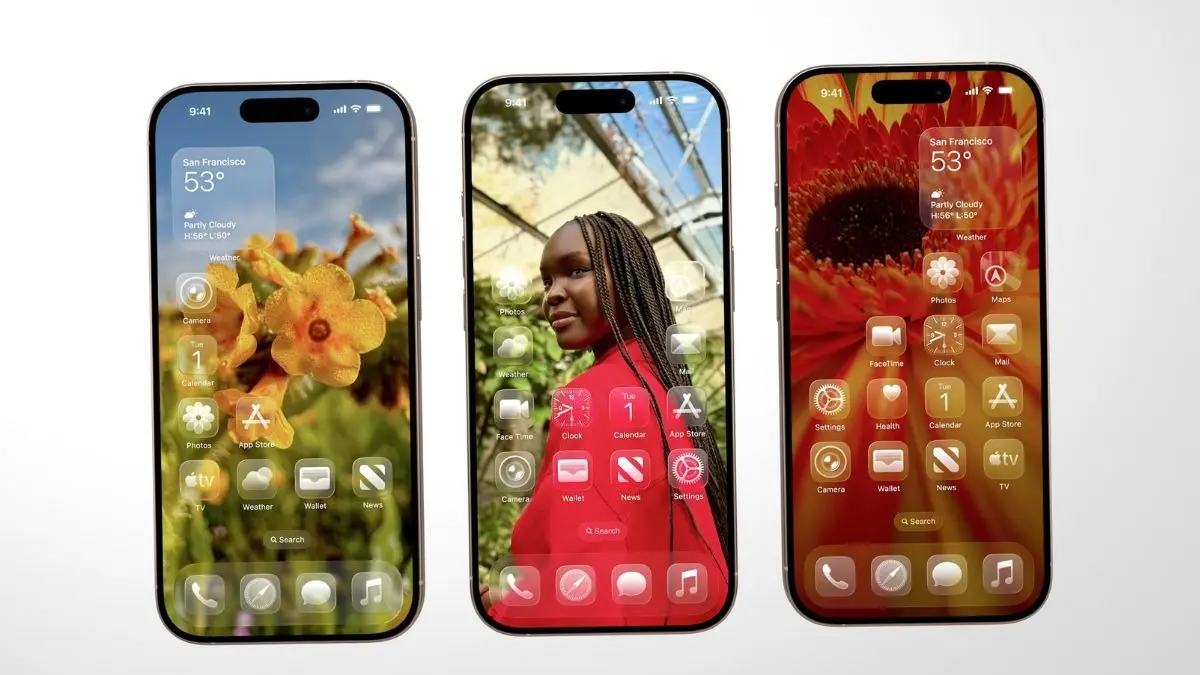
iOS 26.1 may be closer to its public release. Apple has rolled out the Release Candidate (RC) for iOS 26.1, which usually means the public update is just days away. If Apple sticks to its usual pattern, you can expect the rollout in early November. Here’s what’s changing, in simple terms, and how to get ready.
What’s new in iOS 26.1
- Liquid Glass controls: You can finally tone down the new translucent look. Go to Settings > Display & Brightness > Liquid Glass and pick Clear (more transparent) or Tinted (more solid).
- Safer alarms: A new “Slide to Stop” control helps prevent accidental alarm dismissals in the Clock app.
- Lock Screen camera toggle: Turn off the swipe-left camera shortcut if it triggers by mistake in pockets or bags. You can find it in Settings.
- Music swipes: Switch songs in Apple Music with a quick swipe on the Now Playing screen.
- Background security updates: iPhone can automatically apply small security fixes between major updates to keep you protected with minimal disruption.
- Apple Intelligence tweaks: Small improvements and wider language/region support on eligible devices.
Who gets it
All iPhones that support iOS 26 will get iOS 26.1. That means iPhone 11 or higher models will receive the update, alongside the two SE models. Some features may need newer chips, but the headline changes above are broadly available.
How to prepare
- Back up: Use iCloud or a computer backup before updating.
- Clear space: Aim for 8–10 GB free to avoid install issues.
- Update key apps: Especially banking, payments, and work apps.
- Wait a day if mission‑critical: If your iPhone is for work, consider updating 24–48 hours after release.
Quick tips after you update
- If you prefer a calmer look? Set Liquid Glass to Tinted and enable Increase Contrast in Accessibility for crisper text.
- Miss alarms? Use “Slide to Stop” and keep “Snooze” enabled for a backup tap.
- Pocket camera launches? Disable the Lock Screen camera swipe and use the Control Centre tile instead.
- Battery feels different? Give the system 24–48 hours to reindex; this is normal after updates.
iOS 26.1 is a polish release that fixes pain points from iOS 26 and adds control where users asked for it. With the RC out, the public build should follow shortly. Update, tweak the new display and alarm settings on your eligible iPhone, and you’ll feel the difference right away.