
Dell XPS 14 Review: A Premium MacBook Rival With Power, Style, And A Few Quirks
The Dell XPS 14 is a premium laptop that gets several important things right, but should you get it over Apple's MacBook Pro?
- Tech News
- 13 min read

The Dell XPS series has always occupied a special place in the premium Windows laptop segment. It is known for its minimalist design, powerful hardware, and displays that make everyday computing and entertainment feel a little more premium. After a brief hiatus, the XPS branding has returned, and the XPS 14 is a strong reminder of what made the series popular in the first place.
The XPS 14 is not designed to be a gaming laptop, nor does it pretend to be one. It is a business-class machine that prioritises portability, productivity, and a premium experience. However, its hardware is powerful enough to handle more than just spreadsheets, presentations, and multiple browser tabs. It can also run popular games and creative applications without making you feel that you need a dedicated workstation.
I have been using the XPS 14 with an Intel Core Ultra X7 processor, 32GB RAM, and a 1TB SSD. The configuration listed at ₹3,07,590 also gets a 14-inch 2.8K OLED touchscreen. It is an expensive laptop, competing directly with Apple's MacBook Pro range and other premium Windows machines. But there is plenty to like about it, even if some of Dell's design decisions take getting used to.
What's Good
A premium design that stands out without trying too hard
The XPS 14 has the kind of design that makes you take a second look. Dell has gone with a minimalist approach, finished in carbon black, with a subtle XPS logo on the lid. There are no unnecessary design elements or flashy accents. It looks exactly like what you would expect from a premium MacBook rival, and I like that Dell has allowed the design to speak for itself.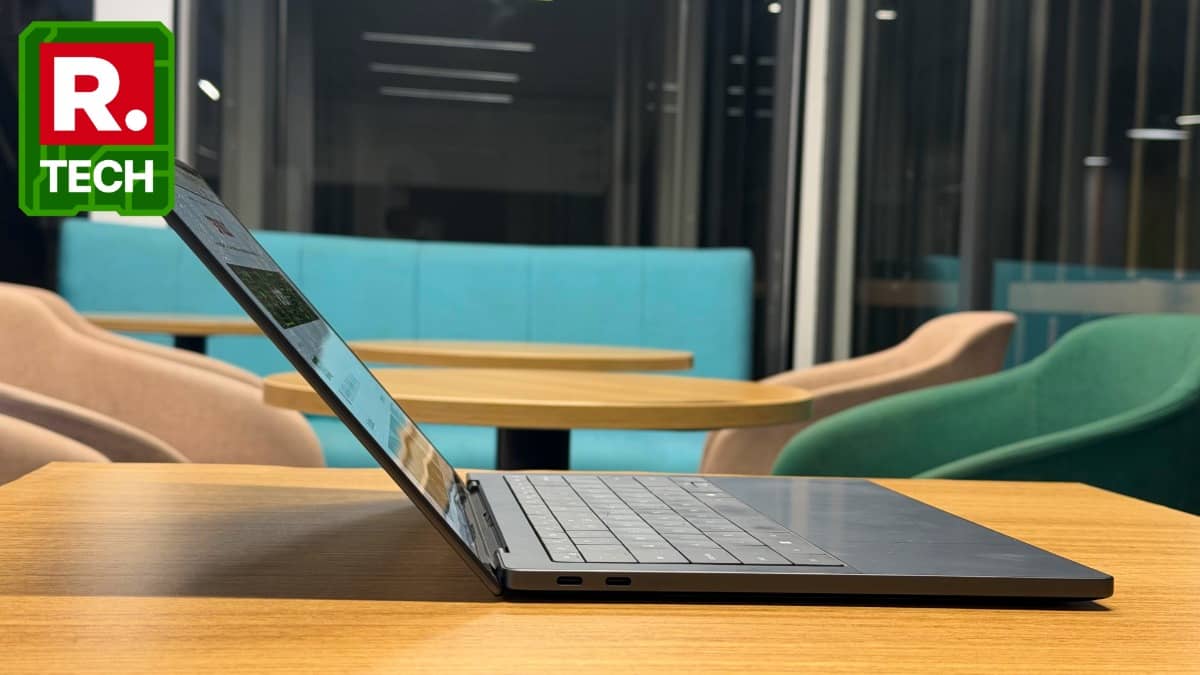
The aluminium chassis feels sturdy, while the carbon black finish gives it a professional appearance. The laptop is also lightweight by the standards of machines in this performance category. At approximately 1.36kg and just 14.62mm thick, it is easy to carry around in a backpack and does not feel like an inconvenience when travelling.
The lid opens with one hand, which is a small but useful convenience. Finding the exact point to lift it can sometimes be a little puzzling because of the minimal gaps around the edges. It takes some getting used to, but once you figure it out, the hinge feels smooth and well-engineered.
The overall impression is that of a laptop designed for people who want a premium machine without drawing unnecessary attention to themselves. It looks equally appropriate in a newsroom, a boardroom, or a coffee shop.
The OLED display is a treat for work and entertainment
The 14-inch OLED touchscreen is one of the strongest reasons to consider the XPS 14. It has a 2.8K resolution of 2,880 x 1,800 pixels, a variable refresh rate of up to 120Hz, and support for 100 per cent of the DCI-P3 colour gamut.
The display is crisp, vivid, and particularly good at reproducing colours. Blacks are inky, reds look vibrant, and watching high-quality video content is an enjoyable experience. The OLED panel also supports VESA DisplayHDR True Black 500 and Dolby Vision, making compatible films and shows look more immersive.
The 16:10 aspect ratio offers additional vertical space, which I found useful while working with documents, browsing websites, and keeping multiple windows open. It may not sound like a major difference, but that extra screen real estate makes a noticeable difference during everyday productivity tasks.
The display can also get sufficiently bright for outdoor use. Dell rates it at 400 nits of typical brightness and up to 500 nits of peak brightness. While I would still prefer the brightness levels available on some MacBook displays, the XPS 14 remains usable in brighter environments.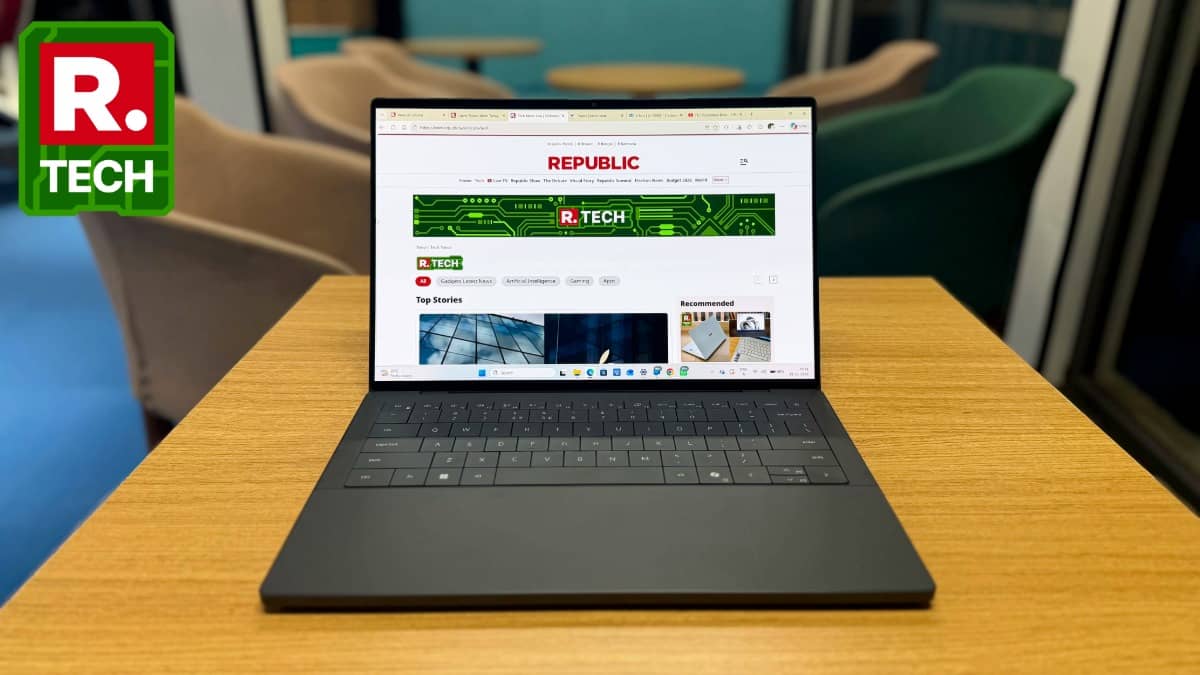
The touchscreen is another addition. I do not think most people buying a conventional laptop will use it constantly, but it is convenient when scrolling through long documents, zooming into images, or navigating certain creative applications. It gives you another way to interact with Windows without having to rely entirely on the keyboard and touchpad.
Dell also uses Corning Gorilla Glass Victus for the OLED display cover, which adds a layer of protection. The anti-reflective and anti-smudge treatment is useful, although the glossy nature of an OLED touchscreen means reflections can still be noticeable under certain lighting conditions.
One consideration with OLED panels is long-term image retention and burn-in. I could not assess how the display would hold up over several years of regular use, so that is something I would keep in mind when buying an expensive laptop intended to last.
The Core Ultra X7 handles demanding workloads with ease
The XPS 14 is powered by Intel's Core Ultra X7 358H processor, which has 16 cores and can reach clock speeds of up to 4.8GHz. It is paired with 32GB of LPDDR5X memory running at 9,600MT/s and a 1TB PCIe NVMe SSD.
This is a powerful combination for a laptop that is primarily designed for productivity. I regularly had more than 10 tabs open in both Google Chrome and Microsoft Edge, alongside other applications, and the laptop handled the workload without any noticeable stuttering.
For someone like me, who spends most of the day researching, writing, editing, and switching between multiple applications, this kind of performance is important. I did not have to constantly close browser tabs or worry about the laptop slowing down when I was juggling different tasks.
I also tried Adobe Lightroom and Photoshop, and both applications felt responsive while performing basic editing tasks. I could not put the laptop through an extensive creative workload, but the hardware gives it enough headroom for photo editing and other demanding applications.
The 32GB memory configuration is particularly useful here. It should be sufficient for most professionals and creative users, even if they tend to keep several applications running simultaneously. The 1TB SSD also offers enough room for work files, applications, photographs, and video projects.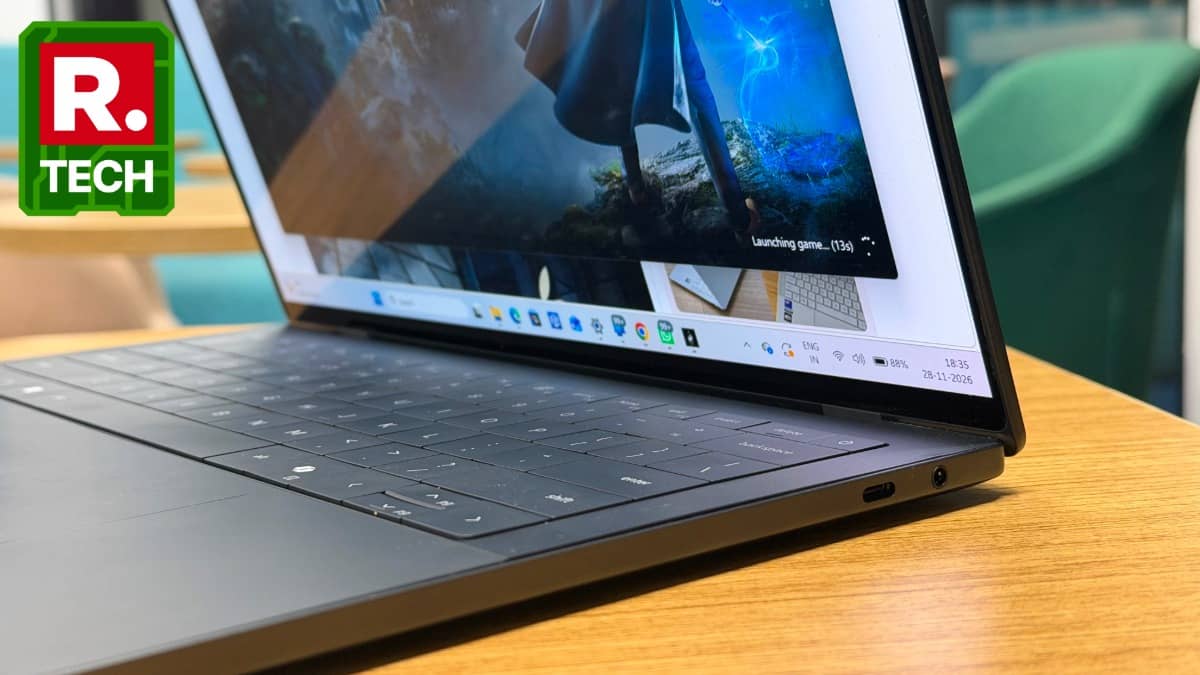
The processor includes an Intel AI Boost NPU rated at up to 50 TOPS, which makes the XPS 14 a Copilot+ PC. This allows it to support compatible on-device AI features in Windows. However, I would not buy the laptop solely for its AI capabilities. Its real value lies in the combination of processing power, memory, and portability.
Gaming is a pleasant bonus
The XPS 14 is not a gaming laptop, and I would not recommend buying it if gaming is your primary requirement. It does not have the aggressive cooling systems, dedicated graphics card, or gaming-focused design that you would typically find in an Alienware machine.
However, the integrated Intel Arc B390 graphics with 18GB of dedicated memory are considerably more capable than what most people associate with traditional integrated laptop graphics. They give the XPS 14 enough graphical muscle to run popular games, provided you are sensible about the settings and expectations.
I would still choose a dedicated gaming laptop for demanding titles, higher graphics settings, and extended gaming sessions. But if you occasionally want to play a game after work, the XPS 14 is more capable than its business-class positioning might suggest.
It is also useful for creative applications that benefit from GPU acceleration. The combination of the processor, integrated graphics, and fast memory makes it a versatile machine for people who do more than just office work.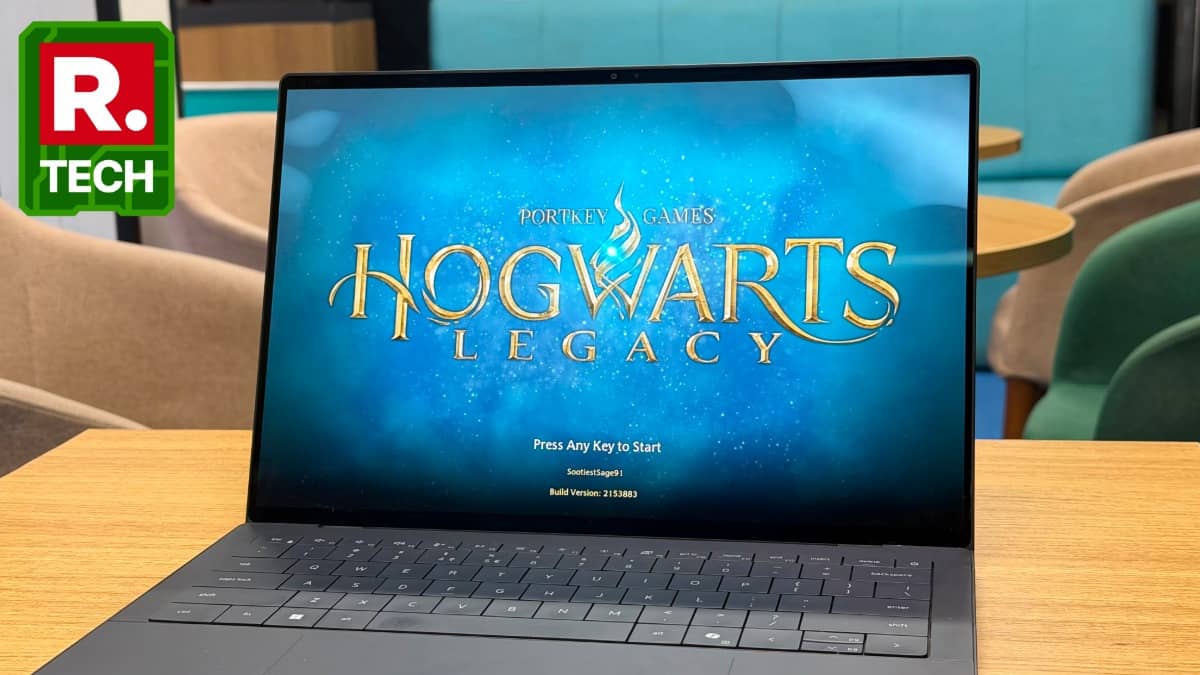
The speakers are among its biggest strengths
The speakers are one of my favourite aspects of the XPS 14. Dell has equipped it with a quad-speaker setup tuned for Dolby Atmos, and the output is impressive for a laptop this size.
Whether I was listening to music or watching the trailer for Avengers: Doomsday, I never felt that I was compromising on the audio experience. The speakers get remarkably loud, to the point where I had to be mindful of the volume at work because the entire newsroom could hear what I was playing.
The sound has enough clarity and presence to make films, videos, and music enjoyable without requiring external speakers. The bass could have been stronger, particularly if you are used to a dedicated bookshelf speaker setup, but that is a limitation I can accept on a laptop.
Pair the speakers with the OLED display, and the XPS 14 becomes a very capable entertainment machine. It is not something I expected to appreciate as much as I did, particularly given that this is primarily a productivity-focused laptop.
A large touchpad and a keyboard that looks the part
The XPS 14 continues Dell's minimalist design approach with an edge-to-edge keyboard and a large capacitive touchpad. The keyboard has backlighting, while the touchpad blends into the palm rest without visible separators.
The large touchpad is particularly good. It supports Windows gestures, and the smooth surface makes navigation feel natural. In terms of its size and responsiveness, it comes close to the experience I have had with Apple's MacBook touchpads.
The capacitive implementation means there are no conventional physical buttons separating the touchpad from the palm rest. It looks clean, and the large surface gives you plenty of room to move the cursor and use gestures.
The palm rest is spacious, too, so there is enough room to rest your hands comfortably while typing. The keyboard's edge-to-edge design gives the laptop a distinctive appearance and brings back memories of older XPS machines.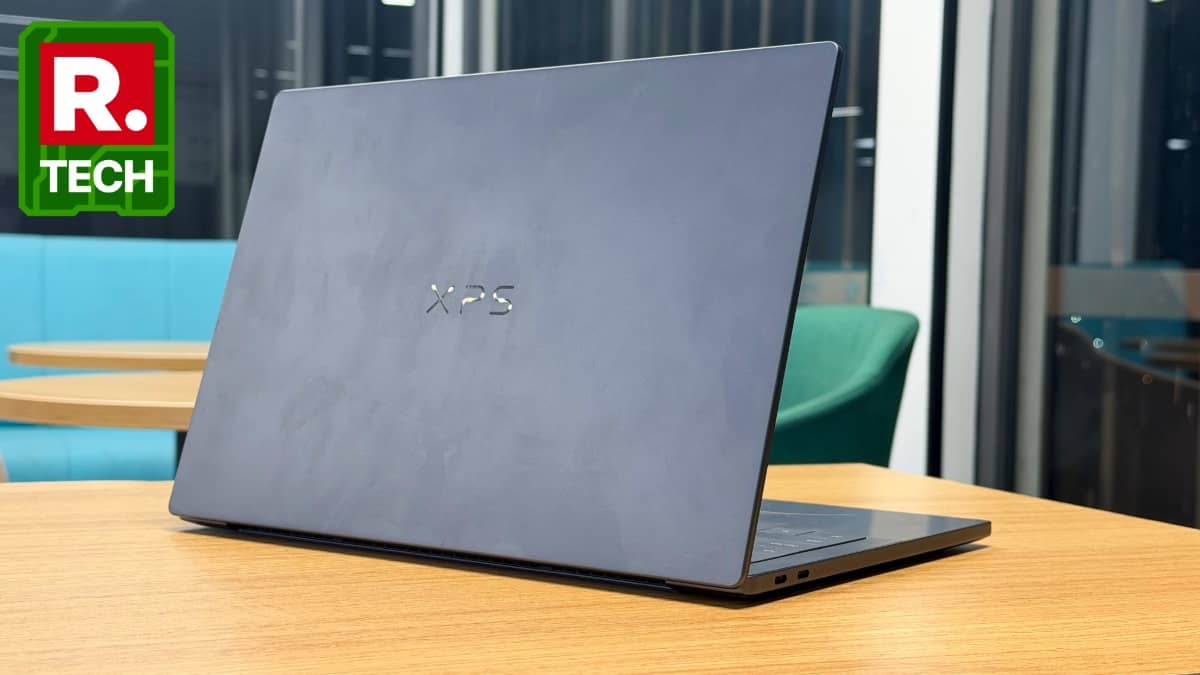
Useful connectivity, despite the missing HDMI port
Dell has equipped the XPS 14 with three Thunderbolt 4 USB-C ports, all supporting DisplayPort 2.1 and Power Delivery. These ports allow you to connect external displays, transfer files quickly, and charge compatible devices.
I particularly appreciate having Thunderbolt connectivity on a laptop designed for professionals. It makes the XPS 14 suitable for a desk setup with external monitors, storage devices, and other accessories. There is also a universal 3.5mm audio jack, which is reassuring for people who regularly use wired headphones or need to monitor audio.
The laptop supports Wi-Fi 7 and Bluetooth 6.0, so wireless connectivity is up to date as well.
However, there is no HDMI port or conventional USB-A port. You will need an adapter or a USB-C hub if you regularly connect the laptop to projectors, older monitors, or peripherals that still use traditional USB connections. This is not unusual for a premium ultrabook, but it adds to the overall cost if you do not already own compatible accessories.
A capable webcam and dependable battery life
The XPS 14 has an 8-megapixel webcam capable of recording in 4K HDR. Video calls looked clear during my usage, and I did not have to worry about appearing blurry or poorly lit during work meetings. The camera also supports Windows Hello, allowing you to sign in using facial recognition.
For professionals who spend a considerable amount of time on video calls, this is a useful addition. The dual-microphone array is designed to improve voice capture, while the webcam's resolution gives it an advantage over the basic cameras still found on some premium laptops.
Battery life is another positive. The XPS 14 has a 70Wh battery, and I could comfortably use it for more than a day on a single charge, depending on the workload. Of course, the OLED display, screen brightness, refresh rate, and demanding applications will influence how long it lasts. Gaming and creative workloads will also consume considerably more power than regular browsing and document editing.
For everyday work, though, I could charge the laptop and leave the charger behind for the day. ExpressCharge support also helps when I need to top it up. I did not notice the laptop becoming uncomfortably warm while charging, which is reassuring when using it on a desk.
What's Bad
The keyboard looks premium, but typing could be better
The keyboard is probably the biggest disappointment for me. Dell has gone with an edge-to-edge, zero-lattice design that looks sleek and gives the laptop a distinctive appearance. However, the typing experience does not quite match the premium feel of the rest of the machine.
The keys are flat, and I occasionally found that presses were not registered as expected. This became particularly noticeable when I was typing quickly, which is a major part of my work as a journalist. Having to go back and correct missed keystrokes can become irritating when you are writing long articles or working against a deadline.
My experience is also influenced by the fact that I have used mechanical and conventional scissor-switch keyboards in the past. Those keyboards offer a more familiar tactile response, and I found it easier to type quickly and confidently on them.
The XPS 14's keyboard looks good, but I would have preferred a little more feedback and consistency from the keys. For a laptop that costs over ₹3 lakh, the typing experience should be one of its strongest features.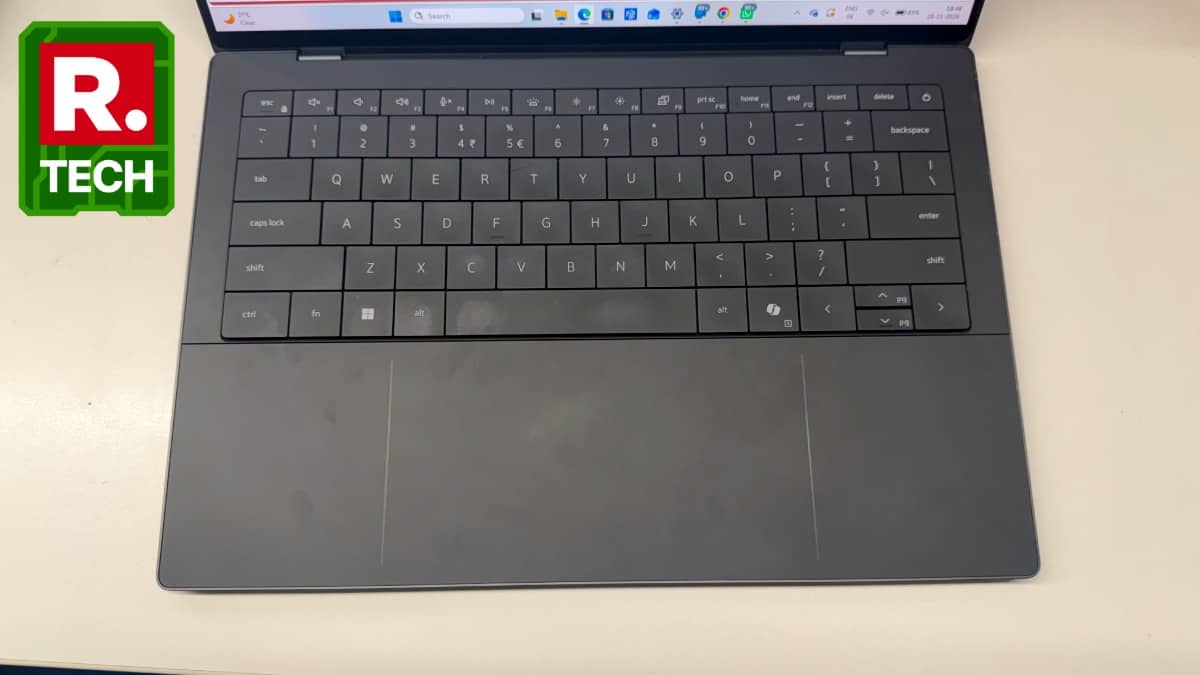
The touchpad is excellent, but Windows limits its potential
I like the large touchpad, and its capacitive design gives the XPS 14 a very clean appearance. However, the overall experience is also dependent on the software.
Apple's macOS offers a more cohesive set of gestures and touchpad interactions. Windows has improved considerably, but it still does not make the most of a touchpad this capable. Some gestures feel less useful, and the overall experience is not quite as intuitive as what I have experienced on a MacBook.
This is not necessarily Dell's fault, but it does mean the excellent hardware is held back by the software experience.
No HDMI or USB-A means carrying adapters
The three Thunderbolt 4 ports offer plenty of bandwidth and flexibility, but the absence of HDMI and USB-A can be inconvenient. I would have liked at least one conventional USB port, particularly for connecting accessories without needing an adapter.
If you regularly use external displays, wired peripherals, or projectors, you will probably need a USB-C hub. That is an additional purchase to factor into an already expensive laptop.
Verdict
Rating: 4/5
The Dell XPS 14 is a premium laptop that gets several important things right. It has a sleek design, a gorgeous OLED touchscreen, powerful hardware, excellent speakers, and dependable battery life. The combination of the Intel Core Ultra X7 processor, 32GB RAM, and 1TB SSD makes it a capable machine for professionals who regularly work with multiple applications and demanding workloads.
I particularly liked the display and speakers. Together, they make the XPS 14 an excellent machine for both productivity and entertainment. The lightweight design also makes it easy to carry around, while the powerful integrated graphics offer enough flexibility for occasional gaming and creative work.
However, the keyboard needs improvement, especially for people who type extensively. The lack of HDMI and USB-A ports also means you may have to spend more on accessories. And while the touchpad is excellent from a hardware perspective, Windows does not quite match the gesture experience available on a MacBook.
At ₹3,07,590, the XPS 14 is not an impulse purchase. It is competing with some of the best premium laptops available, including Apple's MacBook Pro range. I would recommend it to professionals who want a powerful, portable Windows laptop with a premium display and excellent multimedia capabilities. But if typing comfort is your biggest priority, I would suggest trying the keyboard in person before making the investment.
The XPS name is back, and the XPS 14 is a worthy reminder of why the series mattered. It is not perfect, but it is a compelling premium Windows laptop for people who want performance without carrying around a bulky workstation.
Published By : Shubham Verma
Published On: 28 November 2026 at 18:50 IST