
TRAI Channel Selector app download: How to start using the app?
TRAI Channel Selector app download in now available for all the users in India. Here is everything you need to know about how to start using the app and more.
- Tech News
- 3 min read

;'%3e%3cpath%20d='m8,15.99c4.41,0,7.99-3.58,7.99-7.99S12.41,0,8,0,0,3.59,0,8s3.58,7.99,7.99,7.99Z'%20style='stroke:%23fff;%20stroke-miterlimit:10;%20stroke-width:.02px;'/%3e%3cpath%20d='m3.08,3.37l3.82,5.11-3.84,4.15h.87l3.37-3.64,2.72,3.64h2.94l-4.04-5.39,3.58-3.87h-.86l-3.1,3.35-2.5-3.35h-2.94Zm1.27.64h1.35l5.97,7.99h-1.35l-5.97-7.99Z'%20style='fill:%23fff;'/%3e%3c/g%3e%3c/svg%3e)


Television is amongst the oldest forms of entertainment. It was first launched in India in 1959 and since then it has been intriguing viewers and helping us to pass our time effectively. Initially, India had only cable network to provide such services, but after the step towards 'Digital India' in July 2015, things have changed. Now, recent reports reveal that TRAI has finally launched its app which is going to be a boon for numerous users.
TRAI Channel Selector app
The Telecom Regulatory Authority of India (TRAI) has launched a new application called the TRAI Channel Selector app. As the name suggests, you will now be able to select channels that you want to see on your Cable TV or direct to home (DTH) connection. This attempt of TRAI will help to optimize the subscription costs for all the users using the TV channel selector app. This comes as a unifying experience that covers multiple MSO cable TV and DTH operators, including Tata Sky, Airtel Digital TV, DishTV, D2h, Hathway Digital, Siti Networks, Asianet and InDigital.
How to start using the Trai Channel Selector app
- A user can start by selecting their cable or DTH operator
- Then, validate your subscription by providing your subscription ID and the registered mobile number.
- You will get an OTP to verify that it is actually you who wants to modify your cable TV and DTH channel packs.
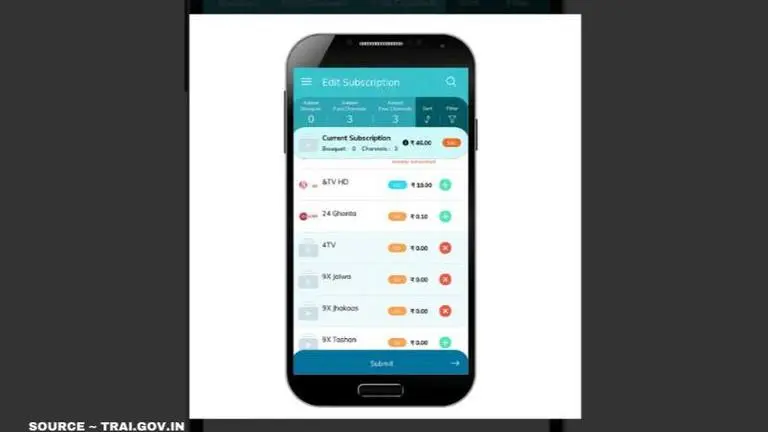
- Once you have entered the OTP, you get a snapshot of the current subscription, the channels, the bouquets and the cost.
- Now, this app allows you to add more channels as you desire from the list of channels that your Cable TV or DTH operator offers at that time. At this point, users can opt for a bouquet instead of ala-carte channels at the same or lower cost as the app offers.
Advertisement
As per reports, TRAI had a version of the channel selector running on the website since early last year. At this time, most DTH companies and cable TV service providers offer their own apps that allow similar functionality such as selecting channels, adding or removing channels and bouquets, and optimising subscription costs based on selected channels. However, in August last year, TRAI asked all Distributed Platform Operators (DPOs) to share the APIs with them for this app to reduce the confusion and bring everything on a single platform.
Advertisement
TRAI Channel Selector app download details
The TRAI Channel Selector app download is now available on both application stores i.e. Google Play Store and App Store. If you want the TRAI Channel Selector app on Android phones just download it from Google Play Store, and Apple iPhone users can download from the App Store. One can also download the TV channel selector app via TRAI.gov.in site. Just scan the app QR code and it will direct you to the download.